Modeler
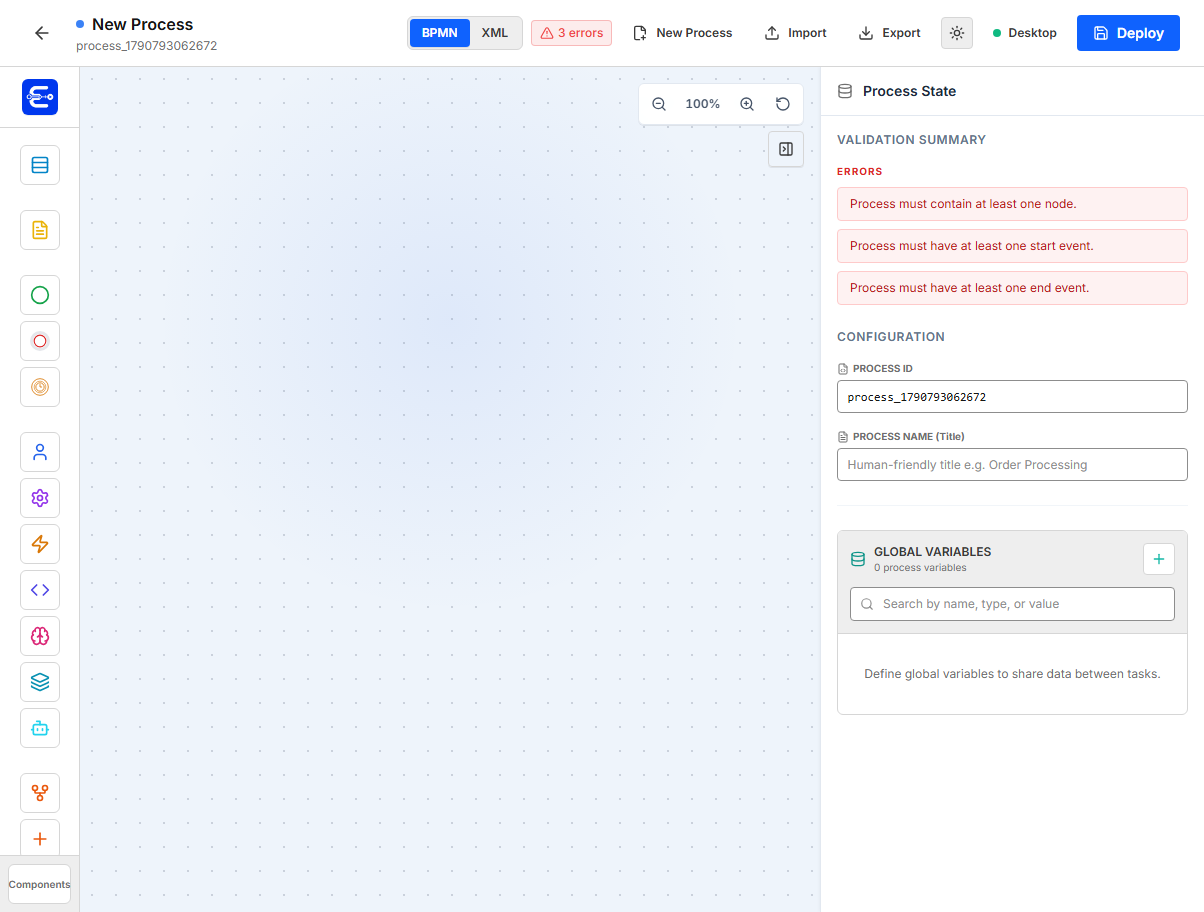
The Easy BPM Modeler is the workspace for designing BPMN 2.0 process definitions and reusable forms. It has a component palette, a canvas, a properties panel, validation feedback, BPMN import/export actions, and deployment to the configured Easy BPM backend.
Access and theme
Open the modeler at the configured frontend URL, for example:
http://localhost:3000
Use an account with modeler permissions. In local QA environments the default account is usually:
username: admin
password: admin
The screenshots in this page use light mode. Use the sun/moon button in the top bar to switch themes.
Recommended workflow
- Create forms first when human tasks need form rendering.
- Add process components to the canvas.
- Give each runtime node a stable
Element ID. - Connect the nodes with sequence flows.
- Configure variables, forms, APIs, messages, timers, gateways, and boundary events.
- Resolve validation errors in the right panel.
- Export the BPMN XML or deploy the process to the backend.
- Start a test instance from the Task Portal, BPM Admin, or the process API.
Main areas
| Area | Purpose |
|---|---|
| Component palette | Drag participants, events, tasks, gateways, messages, and boundary events onto the canvas. |
| Canvas | Arrange nodes and create sequence flows between connection points. |
| Properties panel | Configure the selected process, node, or connection. |
| Validation summary | Shows errors and warnings for missing flows, duplicate IDs, invalid forms, invalid timers, and boundary placement. |
| Import and Export | Load or save BPMN 2.0 XML for process definitions. Export validates the model before creating the BPMN file. |
| Deploy | Sends BPMN 2.0 XML to the backend as a new process definition version. |

Modeler reference and build guides
Use this page as a reference for the Modeler interface, component palette, and property fields. Use the Build Processes guides for end-to-end workflows, runtime behavior, API calls, and operational examples. Some configuration appears in both places so that each component remains understandable in the Modeler while the guides can explain how it behaves after deployment.
Common properties
Most executable components share these properties.
| Property | Use |
|---|---|
Element ID | Stable runtime ID used in exported JSON, task records, process history, and flow references. Use a readable ID such as manager_review. |
Label | Human-friendly text shown on the canvas. |
Description | Optional documentation for the step. |
| Input variables | Values copied into the task or component context. |
| Output variables | Values copied from a task/component result into process variables. |
The modeler validates duplicate node IDs and empty IDs. IDs should start with a letter and use letters, numbers, hyphens, or underscores where the UI validates a key-like value.
Process format
For current releases, process definitions are imported, exported, and deployed as BPMN 2.0 XML. The examples in this page use short configuration snippets for readability, but the actual process artifact exchanged with the backend is BPMN XML.
Variables and mappings
Process variables live in the process state panel. They can be reused by tasks, service steps, APIs, messages, call activities, and code tasks.
| Mapping mode | Meaning |
|---|---|
From Global / variable | Reads a process variable. |
Static Value / static | Uses a literal value configured in the modeler. |
| Output target | Writes the result into a process variable. |
Example task input:
{
  "targetName": "amount",
  "type": "number",
  "source": "variable",
  "value": "requestAmount"
}
Example task output:
{
  "target": "variable",
  "sourceName": "approved",
  "type": "boolean",
  "value": "approved"
}
Connections and conditions
Click a sequence flow to edit its condition. Conditions are most often used after an exclusive gateway.
Example approved branch:
${approved} == true
Example rejected branch:
${approved} == false
Parallel gateway branches should normally be unconditional.
Diagram structure
Participant
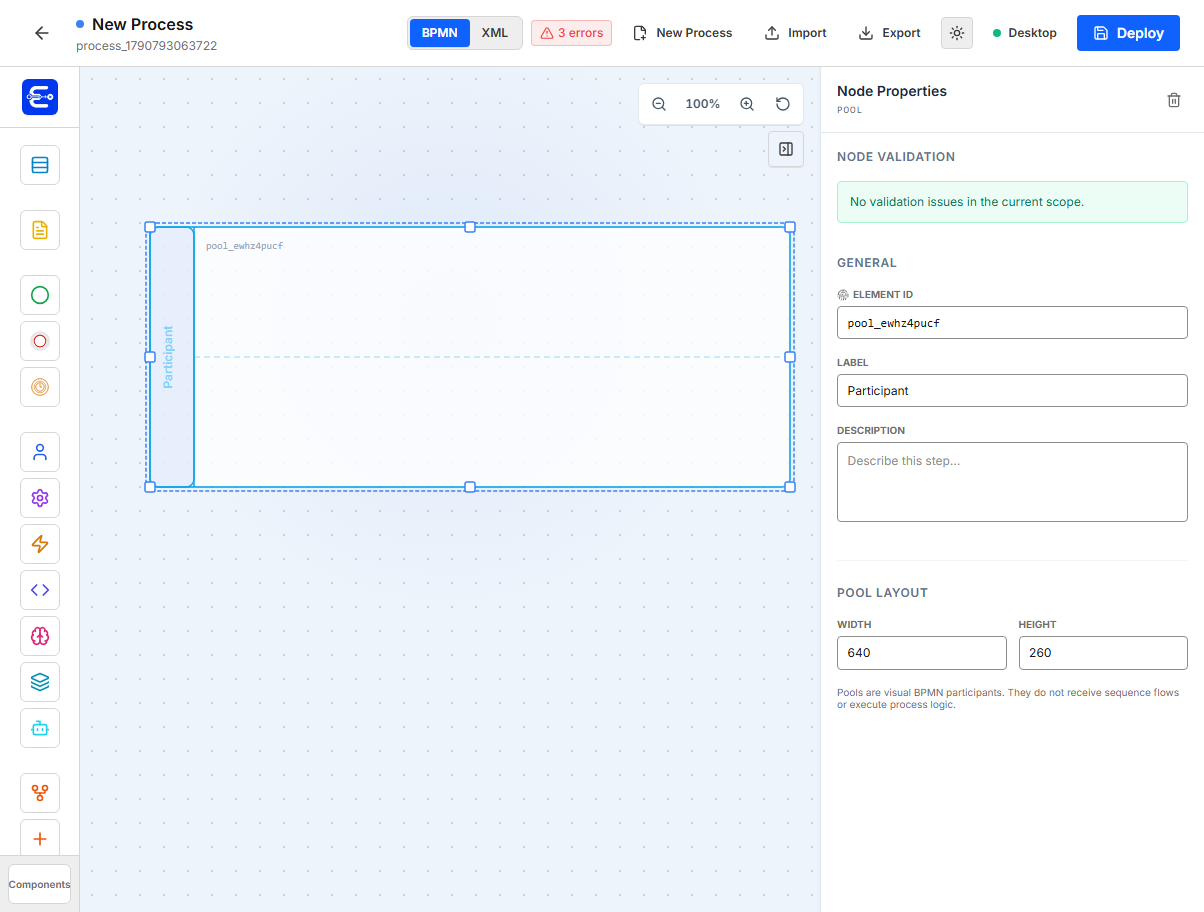
Use a participant/pool as a visual BPMN lane or container. It does not execute process logic and cannot receive sequence flows.
| Property | Example | Notes |
|---|---|---|
Element ID | pool_sales | Visual identifier only. |
Label | Sales | Displayed vertically on the pool. |
Description | Sales process participant | Optional. |
Width | 560 | Minimum is enforced by the UI. |
Height | 190 | Minimum is enforced by the UI. |
Flow events
Use these components to define where a process starts, finishes, or pauses. See Create a Process for an end-to-end process example.
Start Event
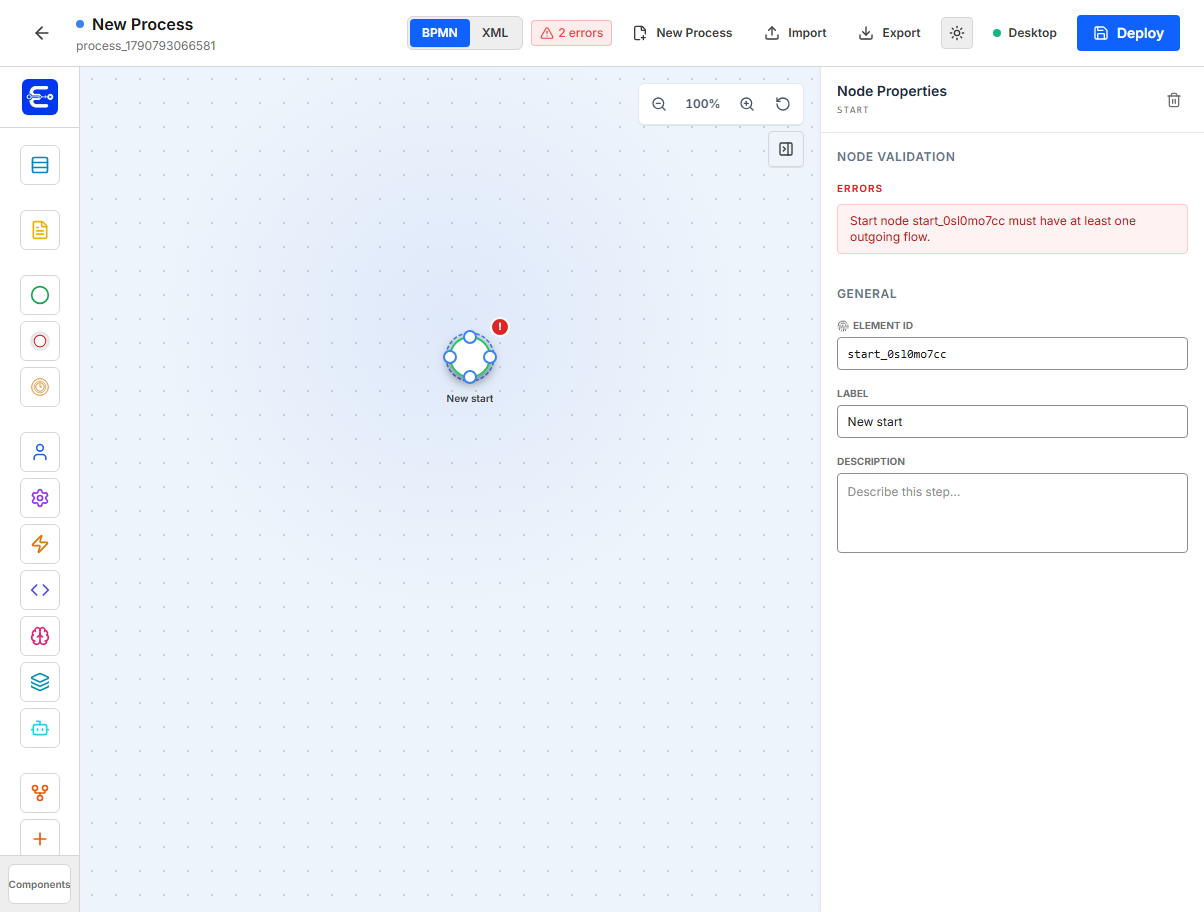
Use a start event to begin a process instance. A process must have at least one start event.
| Property | Example | Notes |
|---|---|---|
Element ID | start | Stable start node ID. |
Label | Start | Display label. |
Description | Begin request intake | Optional. |
Validation rules:
| Rule | Meaning |
|---|---|
| No incoming flow | A start node cannot be reached from another node. |
| At least one outgoing flow | It must route to the first real step. |
End Event
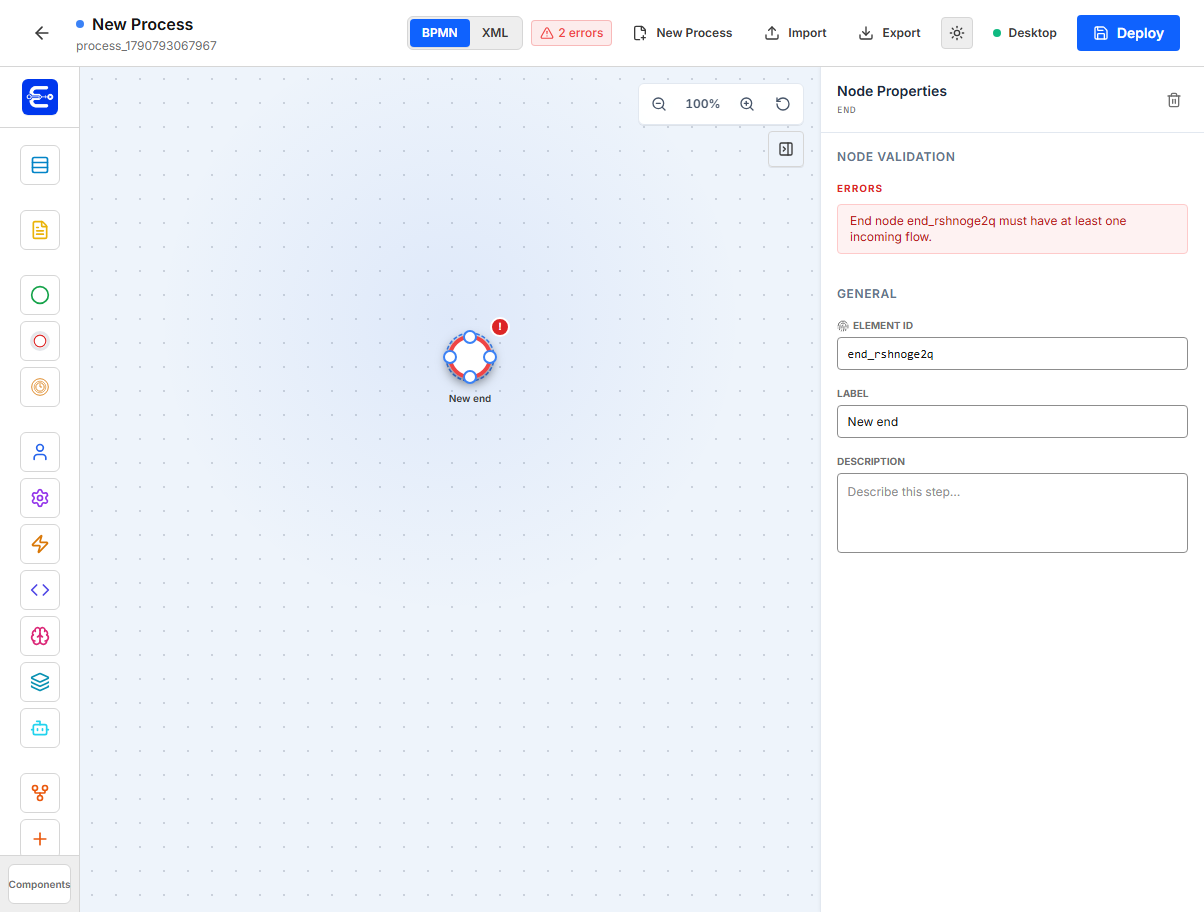
Use an end event to complete the process instance.
| Property | Example | Notes |
|---|---|---|
Element ID | end | Stable end node ID. |
Label | End | Display label. |
Description | Process completed | Optional. |
Validation rules:
| Rule | Meaning |
|---|---|
| At least one incoming flow | The process must be able to reach the end. |
| No outgoing flow | End nodes finish the path. |
Timer Event
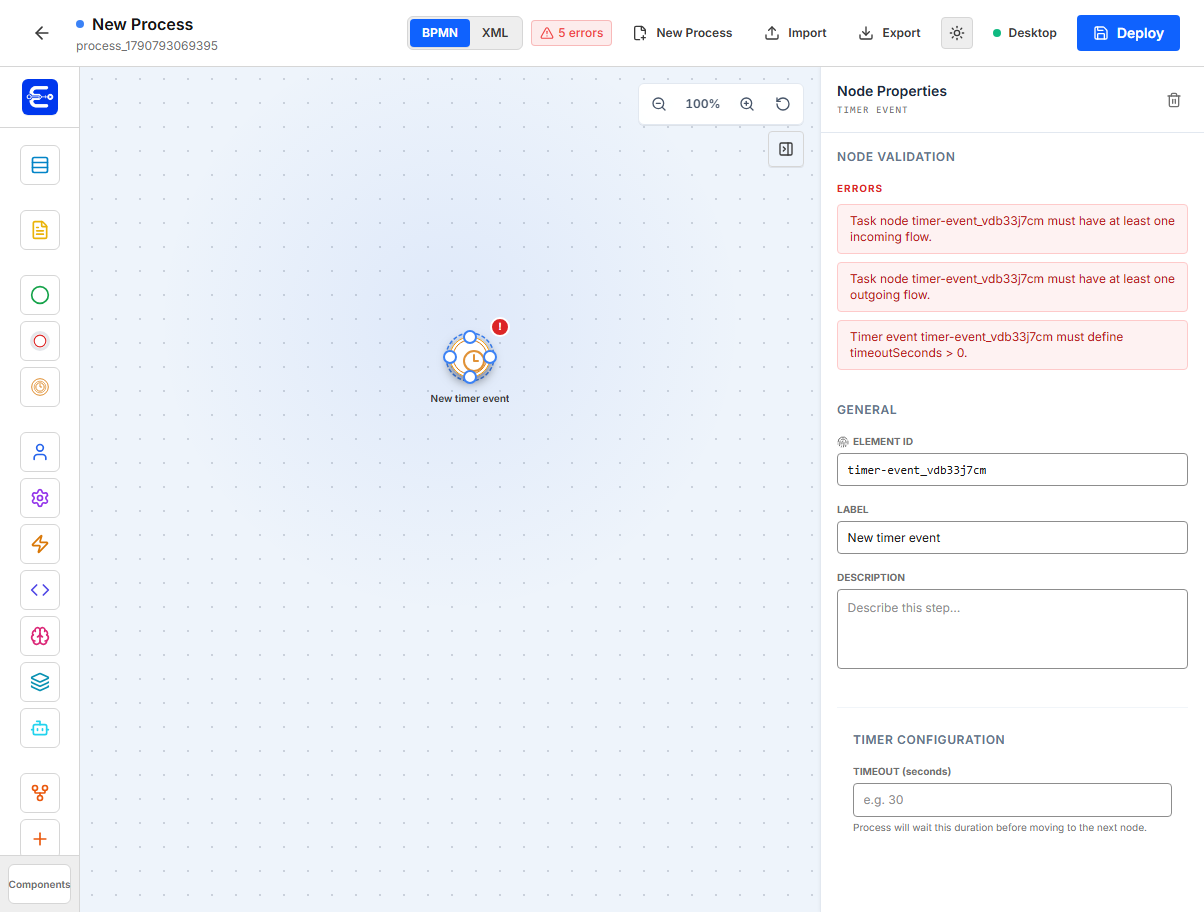
Use a timer event when the process should wait before continuing to the next node.
| Property | Example | Notes |
|---|---|---|
Element ID | wait_30_seconds | Stable timer ID. |
Label | Wait 30 seconds | Display label. |
Timeout (seconds) | 30 | Required and must be greater than 0. |
Example export:
{
  "id": "wait_30_seconds",
  "type": "TimerEvent",
  "properties": {
    "timeoutSeconds": 30
  },
  "next": ["after_wait"]
}
Task components
Tasks represent work performed by people, external APIs, internal mappings, custom code, or AI. The Build Processes guides provide deeper runtime examples for User Tasks, API Tasks, and Code Tasks.
Human Task
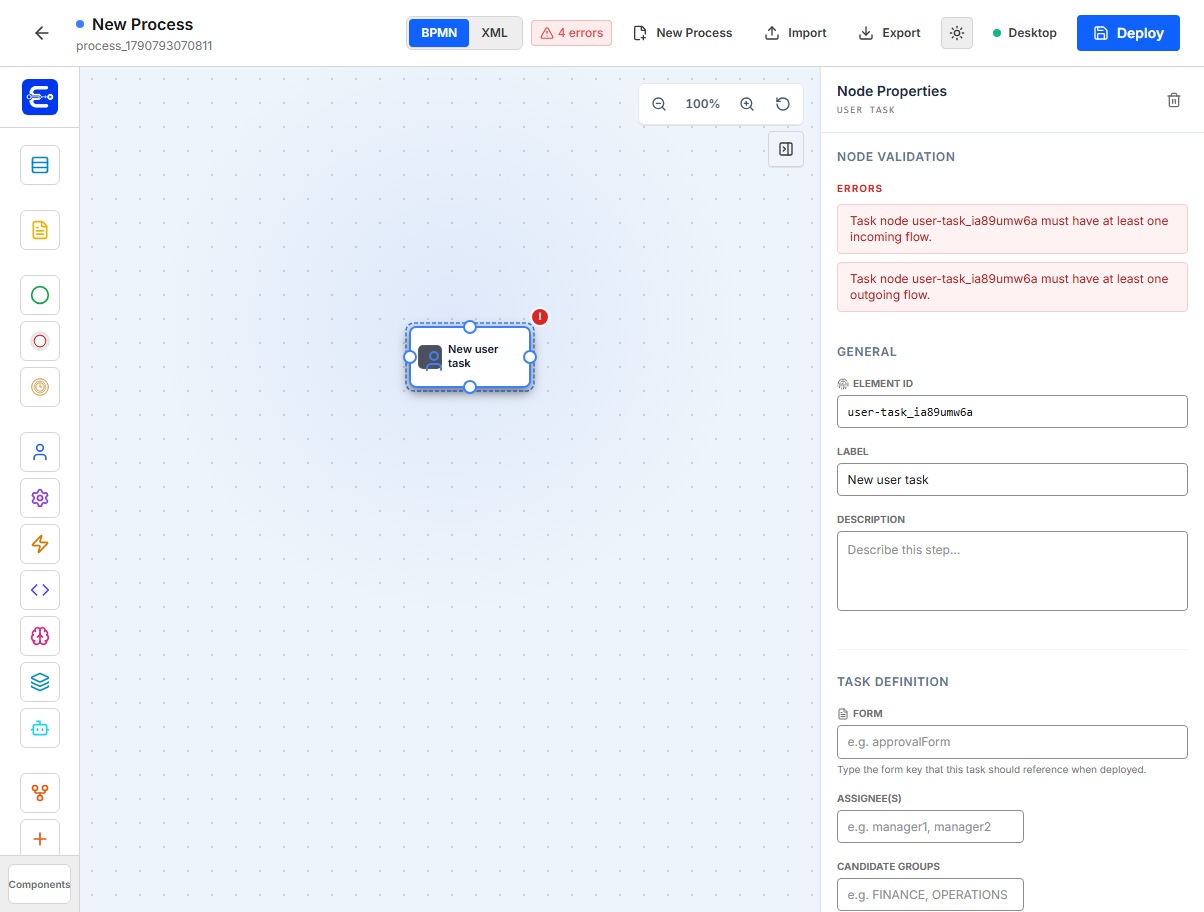
Use a human task when a user or group must complete work in the Task Portal.
| Property | Example | Notes |
|---|---|---|
Element ID | manager_review | Used as the task nodeId. |
Label | Manager Review | Task title shown to users. |
Form Key | qa_manager_review | Attach the deployed form key, not the numeric database ID. |
Assignee(s) | manager1, manager2 | Comma-separated users. |
Candidate Groups | MANAGERS, FINANCE | Comma-separated group codes. |
Task Inputs | amount <- requestAmount | Values copied from process variables or static values into task variables. |
Task Outputs | approved -> approved | Values written back to process variables when the task is completed. |
Example configuration:
{
  "id": "manager_review",
  "type": "HumanTask",
  "config": {
    "formId": "qa_manager_review",
    "assignee": "manager1",
    "candidateGroups": "MANAGERS",
    "inputs": [
      {
        "targetName": "amount",
        "type": "number",
        "source": "variable",
        "value": "requestAmount"
      }
    ],
    "outputs": [
      {
        "target": "variable",
        "sourceName": "approved",
        "type": "boolean",
        "value": "approved"
      }
    ]
  }
}
Use required fields in the form schema when the task must validate data before completion.
API Task
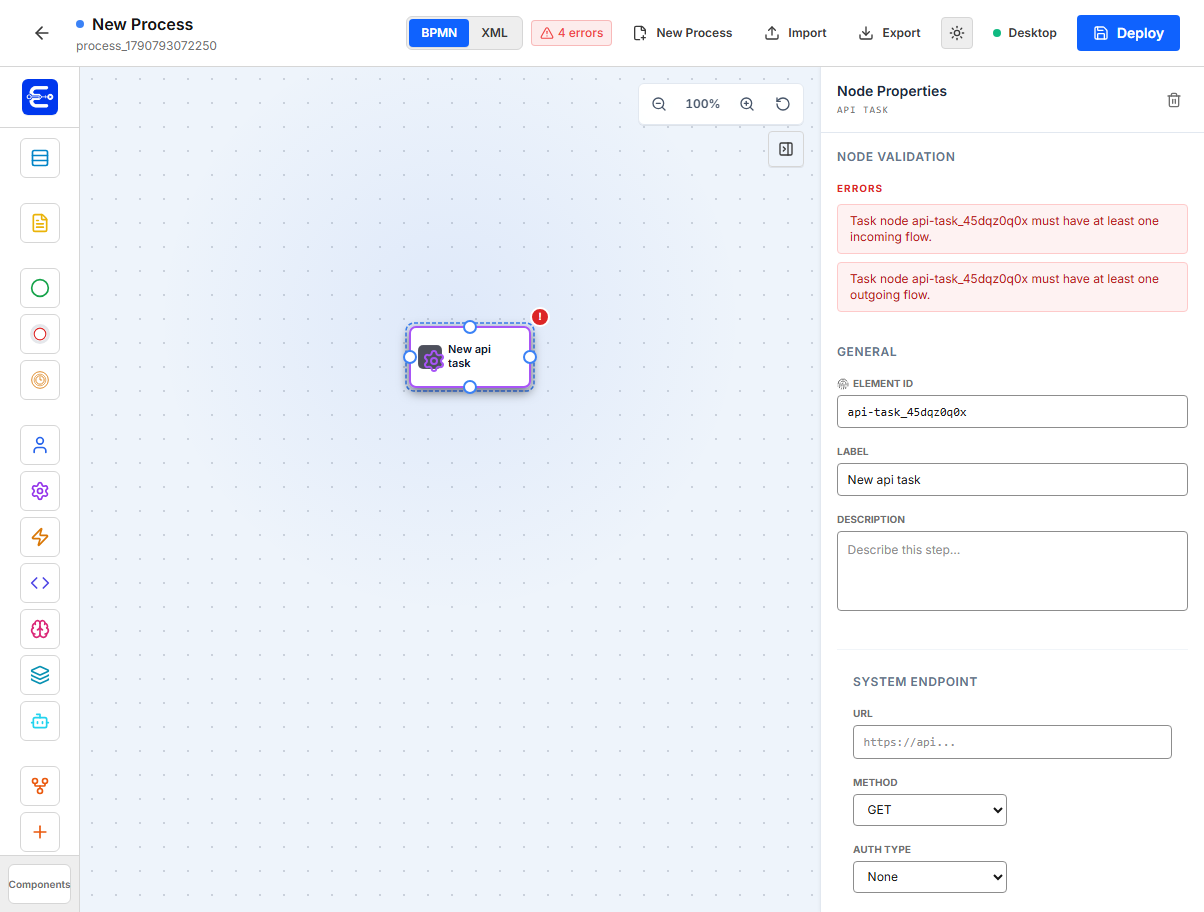
Use an API task to call an external HTTP endpoint through the worker. API task failure can be caught by an Error Boundary. If no boundary handles the failure, the instance is marked FAILED and BPM Admin shows the recorded error. Worker requests that do not complete within 2 minutes follow the same failure path.
| Property | Example | Notes |
|---|---|---|
URL | https://api.example.com/check | Endpoint called by the worker. |
Method | GET, POST, PUT, DELETE | HTTP method. |
Auth Type | none, bearer, basic, apikey | Auth strategy. |
Auth Ref | EXT_API_AUTH | Environment variable reference. |
API Key In | header or query | Only for API key auth. |
API Key Name | X-API-Key | Header or query parameter name. |
Request Body (JSON) | { "id": "${requestId}" } | JSON body, mainly for POST and PUT. |
API Output Mapping | data.status -> apiStatus | JSON path from response to process variable. |
Bearer auth example:
{
  "id": "risk_check",
  "type": "APITask",
  "properties": {
    "url": "https://api.example.com/risk",
    "method": "POST",
    "auth": {
      "type": "bearer",
      "ref": "RISK_API_TOKEN"
    },
    "body": {
      "amount": "${amount}"
    },
    "outputs": [
      {
        "target": "variable",
        "sourceName": "data.status",
        "type": "string",
        "value": "riskStatus"
      }
    ]
  }
}
API key auth example:
{
  "auth": {
    "type": "apikey",
    "ref": "PARTNER_API_KEY",
    "in": "header",
    "key": "X-API-Key"
  }
}
Service Task
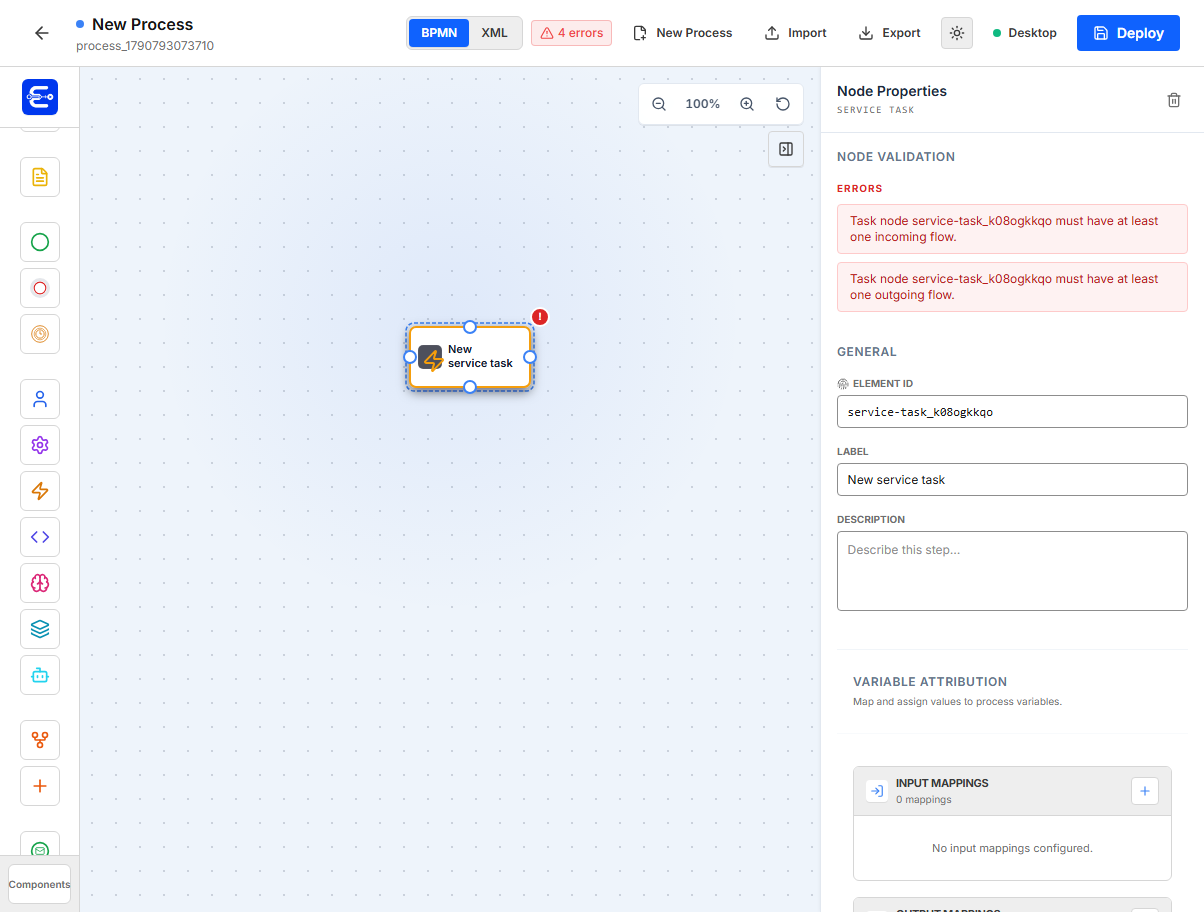
Use a service task for variable attribution and internal mappings. It is useful when the process needs to set or transform variables without waiting for a human task.
| Property | Example | Notes |
|---|---|---|
Input Mappings | requestAmount <- amount | Reads process variables or static values. |
Output Mappings | priority -> priority | Writes mapped values to process variables. |
Example:
{
  "id": "set_priority",
  "type": "ServiceTask",
  "config": {
    "inputs": [
      {
        "targetName": "amount",
        "type": "number",
        "source": "variable",
        "value": "requestAmount"
      }
    ],
    "outputs": [
      {
        "target": "variable",
        "sourceName": "priority",
        "type": "string",
        "value": "priority"
      }
    ]
  }
}
Code Task
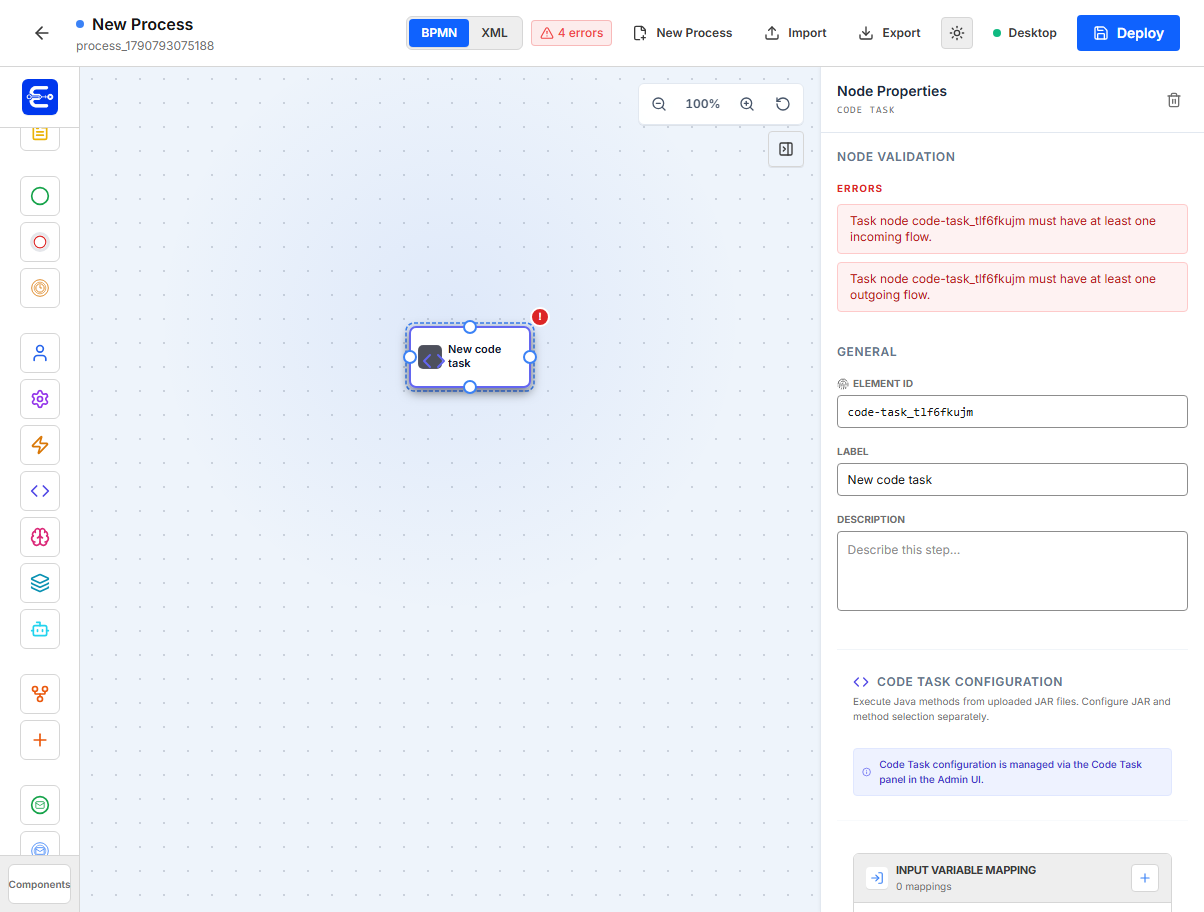
Use a code task to execute Java code from uploaded JAR files. The modeler stores variable mappings; JAR upload, class discovery, and method binding are managed in the Code Task area of BPM Admin.
| Property | Example | Notes |
|---|---|---|
Input Variable Mapping | amount -> method parameter | Process values passed into the Java method. |
Output Variable Mapping | return.total -> total | Java result fields written to process variables. |
Example modeler export:
{
  "id": "calculate_score",
  "type": "CodeTask",
  "properties": {
    "inputs": [
      {
        "targetName": "amount",
        "type": "number",
        "source": "variable",
        "value": "requestAmount"
      }
    ],
    "outputs": [
      {
        "source": "variable",
        "sourceValue": "score",
        "type": "number",
        "targetVariable": "riskScore"
      }
    ]
  }
}
AI Task (BETA)
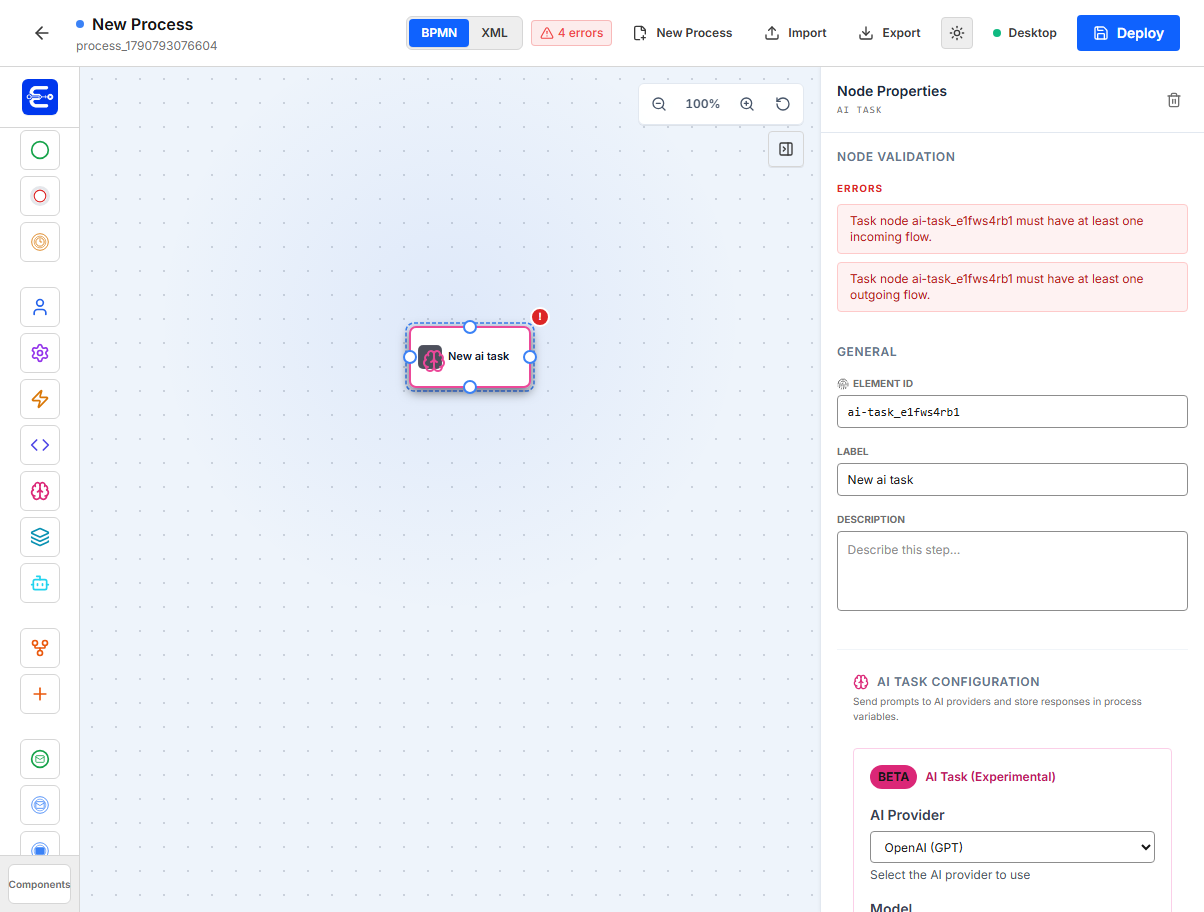
Use an AI task to send prompts to an AI provider and store the response in a process variable.
| Property | Example | Notes |
|---|---|---|
Provider | openai | Provider ID. |
Model | gpt-4.1-mini | Provider model name. |
Credential | Stored credential or environment ref | Configured in backend/admin security. |
System Prompt | You classify requests. | Optional system instruction. |
User Prompt | Classify {{requestText}} | Prompt can reference process variables. |
Tuning | temperature, topP, maxTokens | Provider-specific tuning values. |
Output Variable | aiDecision | Process variable receiving the response. |
Example:
{
  "id": "classify_request",
  "type": "AiTask",
  "properties": {
    "providerId": "openai",
    "modelName": "gpt-4.1-mini",
    "promptTemplate": "Classify this request: {{requestText}}",
    "outputVariable": "aiClassification",
    "tuningParams": {
      "temperature": 0.2,
      "maxTokens": 500
    }
  }
}
Agent Process (Feature Flag)
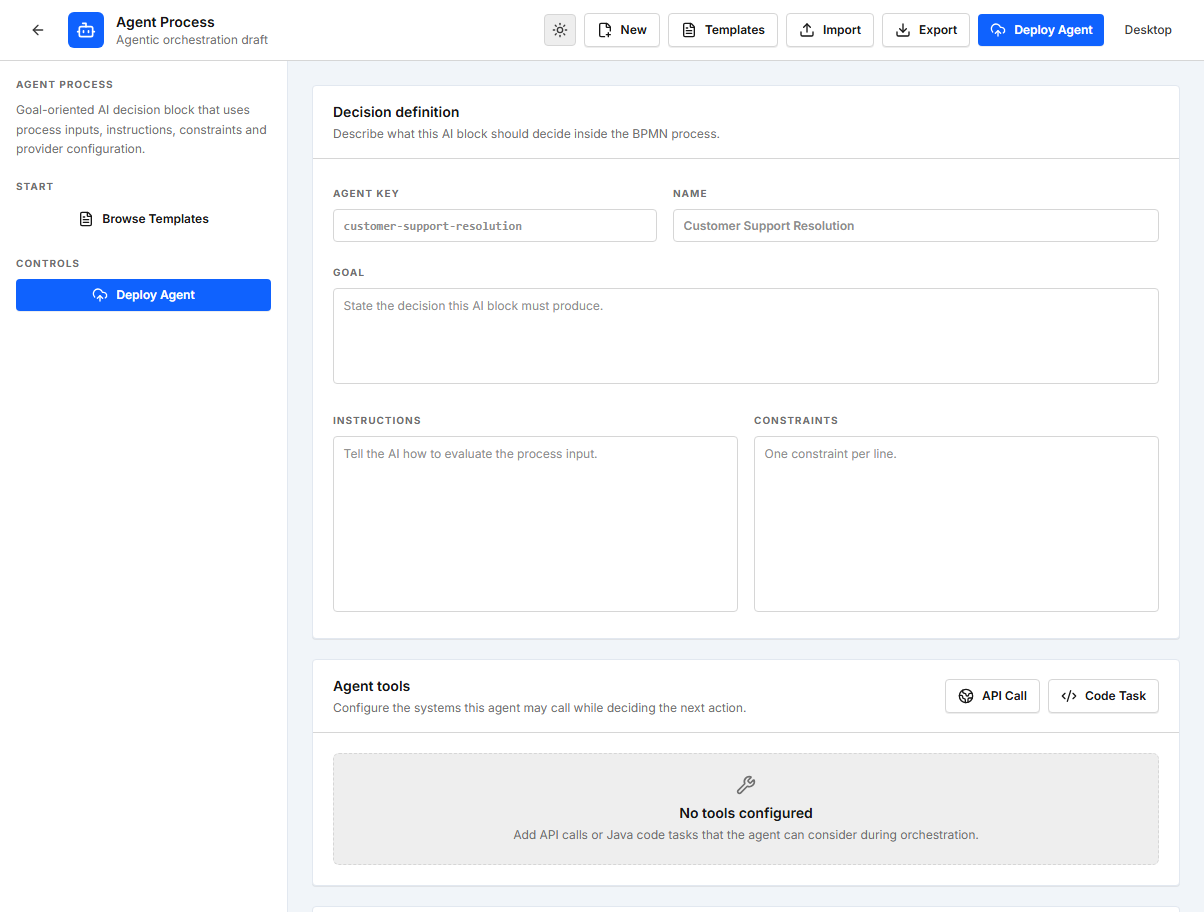
Agent Process is the feature-flagged resource for agentic orchestration. Use it when a BPM process needs to call an AI-driven agent that can evaluate context, produce a structured decision, and write outputs back to process variables.
Enable it in the modeler before running or building the frontend:
$env:EASY_BPM_MODELER_AGENTIC_ORCHESTRATION="true"
npm run dev
When enabled, the modeler shows the Agent Process resource and an Agent Process BPM node. The Agent Process editor can import/export Agent Process JSON drafts and deploy reusable agent definitions to POST /agent-processes. A BPM process then calls one of those deployed agents with an AgentProcessCall node.
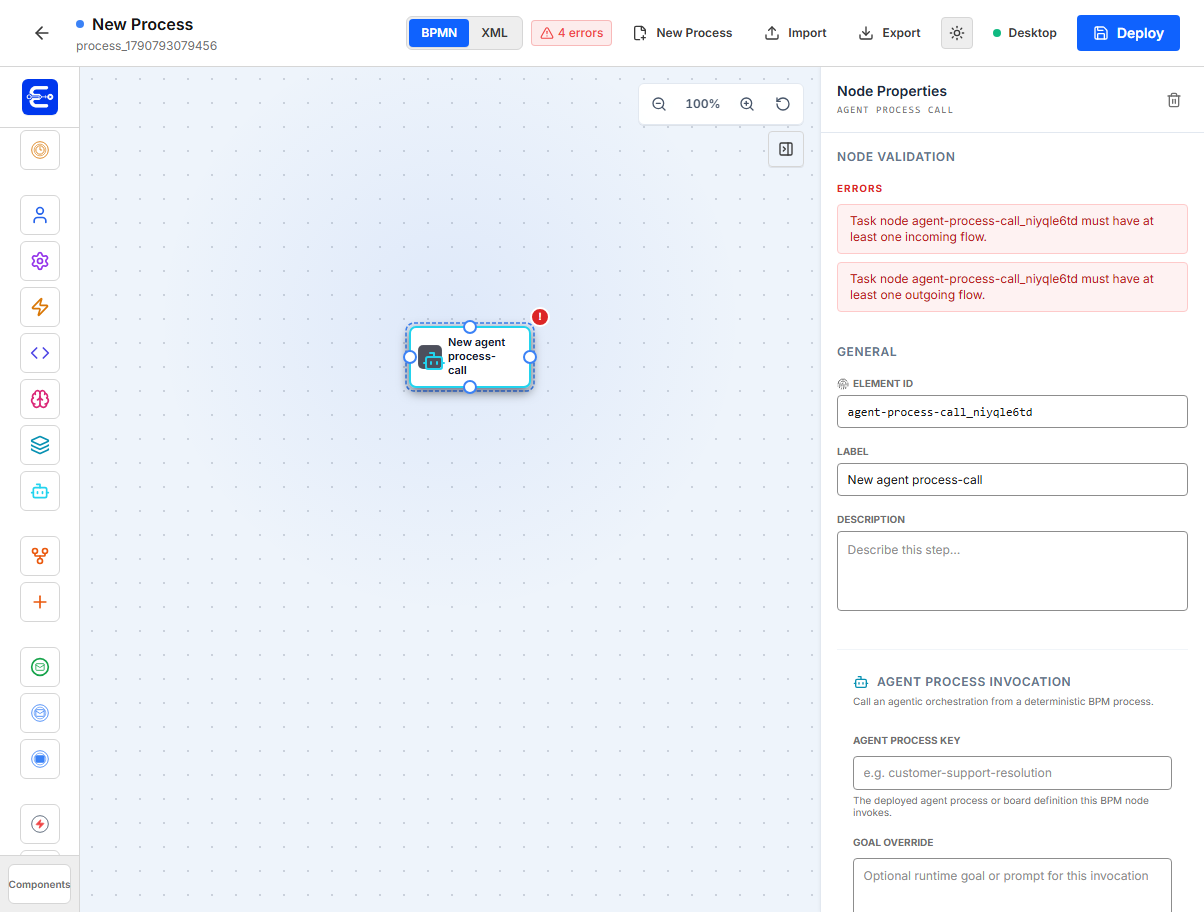
Agent Process provider configuration:
| Property | Example | Notes |
|---|---|---|
Provider | gemini or azure-openai | Provider ID used by the backend provider factory. |
Model | gemini-3.5-flash or gpt-4o-mini | Model name or Azure deployment name sent to the provider. |
Endpoint | https://<resource>.openai.azure.com/openai/v1/responses | Optional for most providers. Required for azure-openai. |
Credential Ref | $GEMINI_API_KEY or $AZURE_OPENAI_API_KEY | Environment variable references must start with $. Stored credential IDs do not use $. |
Goal | Resolve customer complaint | Main objective for the agent. |
Instructions | Investigate, classify, decide next action | Operational instructions included in the prompt context. |
Constraints | Refunds over 500 require approval | Guardrails and business policy reminders. |
For local AI testing, providerId: "ollama" works without a credential reference and defaults to http://localhost:11434/api/generate with model llama3.2 when the endpoint is not overridden.
For Azure OpenAI, set providerId to azure-openai, use the Azure deployment name in modelName, and provide an Azure endpoint plus a credential reference such as $AZURE_OPENAI_API_KEY.
Agent Process definition example:
{
  "resourceType": "AgentProcess",
  "processKey": "customer-support-resolution",
  "processName": "Customer Support Resolution",
  "goal": "Resolve customer complaint and ensure customer satisfaction.",
  "provider": {
    "providerId": "gemini",
    "modelName": "gemini-3.5-flash",
    "credentialRef": "$GEMINI_API_KEY"
  },
  "steps": []
}
Configure the token in the backend runtime environment, not in the frontend:
$env:GEMINI_API_KEY="AIza..."
The deploy API requires a non-empty goal. If you include provider, it must include non-empty providerId and modelName. When processKey is omitted, the backend falls back to key, then to a slugified processName.
Agent Process templates
The Agent Process editor includes starter templates for Customer Support Resolution, Invoice Exception Review, and Employee Onboarding Coordinator. Select a template, then review and adapt the process key, goal, instructions, constraints, provider, model, endpoint, and credential reference before deployment.
Templates are editable starting points only. They do not create or deploy an agent automatically, and provider credentials must remain configured in the backend runtime environment.
BPM invocation properties:
| Property | Example | Notes |
|---|---|---|
Agent Process Key | customer-support-resolution | Must match the deployed Agent Process processKey. |
Goal Override | Resolve this complaint | Optional runtime goal for this call. |
Wait for Completion | enabled | The process waits for the agent decision before continuing. |
Timeout Seconds | 120 | Optional timeout metadata for the call. |
| Input mappings | complaintText <- complaintText | Sends BPM variables into the agent context. |
| Output mappings | decision -> agentDecision | Writes agent output fields back to BPM variables. |
Agent Process call example:
{
  "id": "resolve_with_agent",
  "type": "AgentProcessCall",
  "config": {
    "agentProcessKey": "customer-support-resolution",
    "goal": "Resolve the customer complaint from the current process variables.",
    "waitForCompletion": true,
    "timeoutSeconds": 120,
    "inputs": [
      {
        "targetName": "complaintText",
        "type": "string",
        "source": "variable",
        "value": "complaintText"
      }
    ],
    "outputs": [
      {
        "source": "variable",
        "sourceValue": "decision",
        "type": "string",
        "targetVariable": "agentDecision"
      }
    ]
  }
}
Deploy order:
- Enable
EASY_BPM_MODELER_AGENTIC_ORCHESTRATION=trueand open the modeler. - Create and deploy the Agent Process from the Agent Process resource.
- Add an
Agent Processnode to the BPM process and setAgent Process Keyto the deployed agent key. - Deploy the BPM process, start an instance, and inspect the process variables for the agent decision/output.
Documentation components
Documentation Note
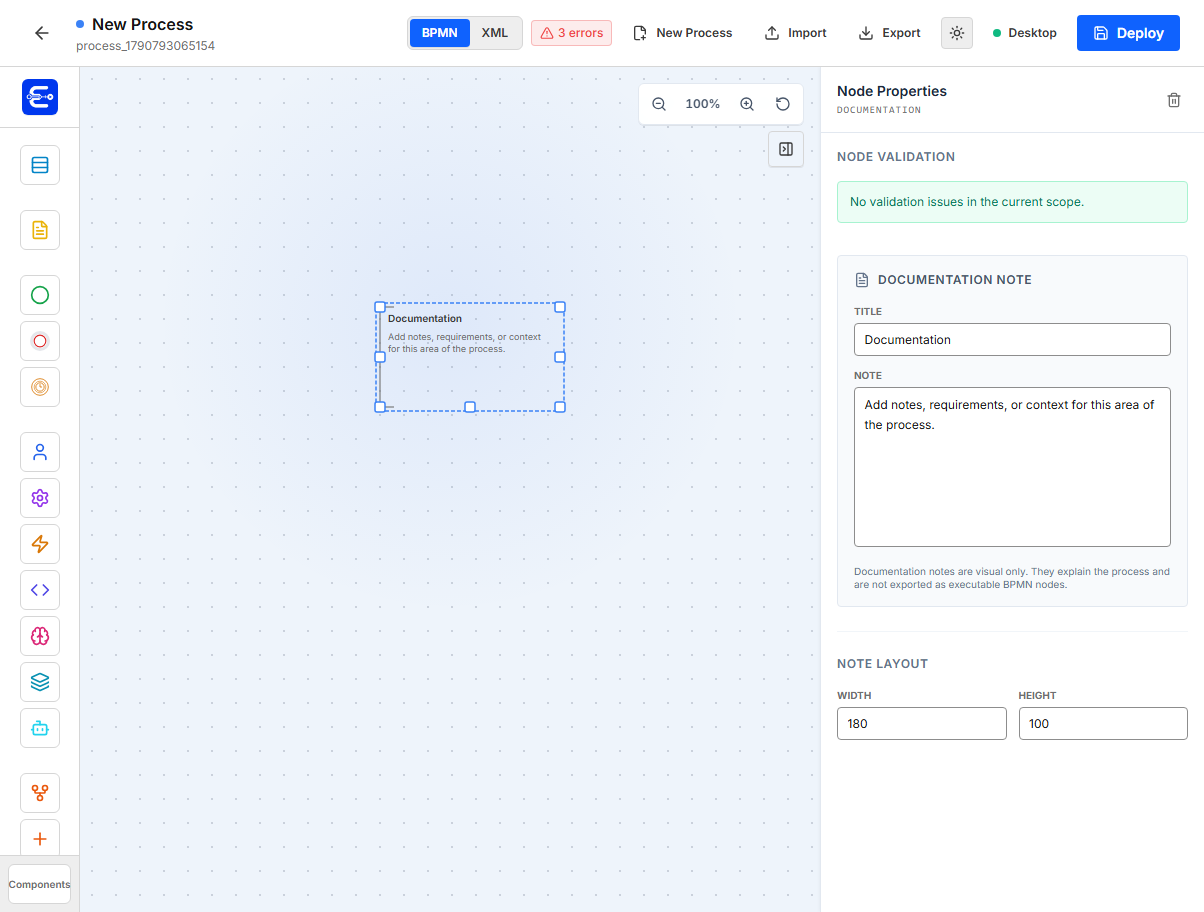
Use a Documentation Note to add context, assumptions, business rules, or implementation notes directly on the process canvas. Add it from the Documentation section of the component palette, then set its title and note text in the properties panel.
Documentation Notes can be visually associated with other diagram elements. They are for readers of the model only: Easy BPM does not export them as executable BPMN nodes, and they do not affect process execution.
Subprocess components
Use call activities to compose reusable processes. See Call Activities for runtime relationships, variable mapping, and error handling.
Call Activity
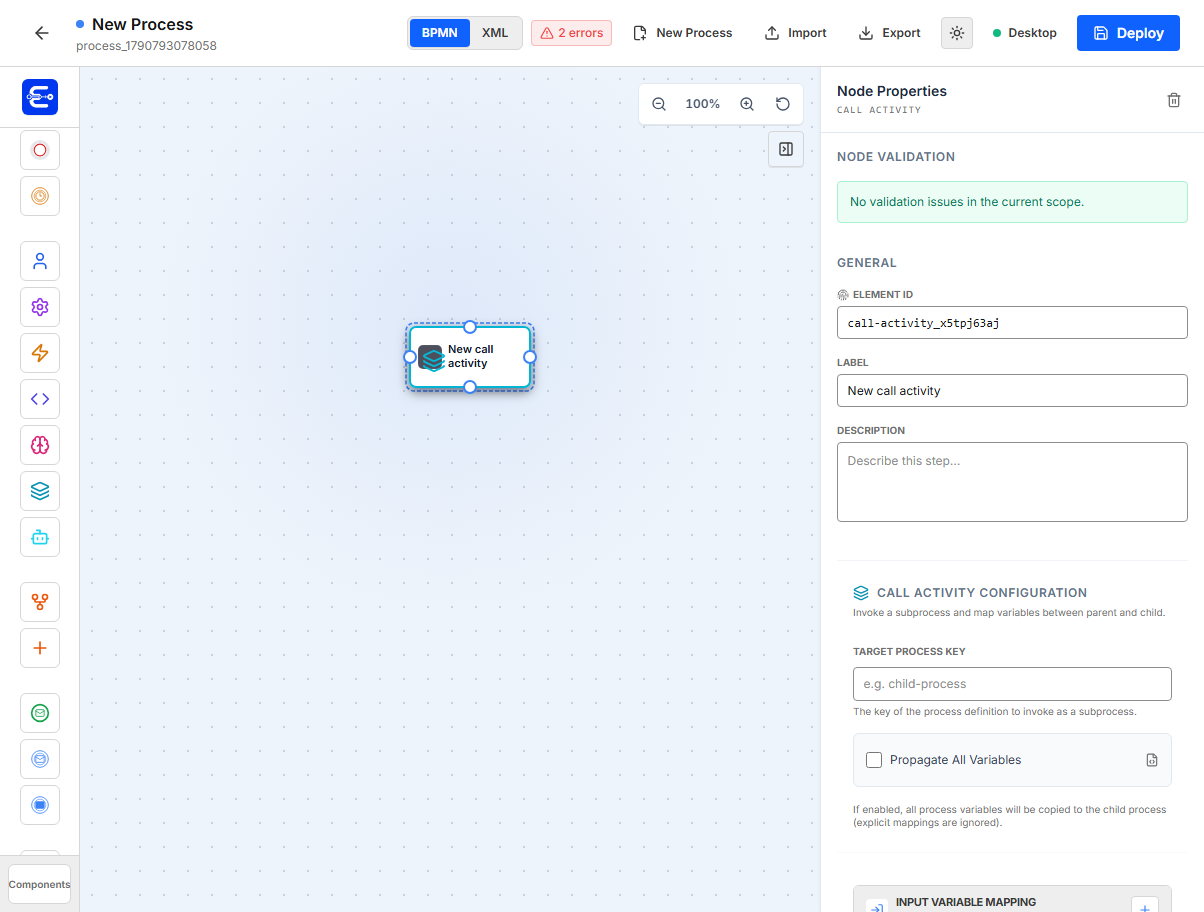
Use a call activity to start a child process and wait for it to complete.
| Property | Example | Notes |
|---|---|---|
Target Process Key | finance-review | The process key of the subprocess. |
Propagate All Variables | enabled | Copies all parent variables to the child. Explicit mappings are ignored when enabled. |
Input Variable Mapping | parentOrderId -> orderId | Sends parent variables into the child. |
Output Variable Mapping | childStatus -> financeStatus | Copies child results back to the parent. |
Example:
{
  "id": "finance_subprocess",
  "type": "CallActivity",
  "config": {
    "processKey": "finance-review",
    "propagateAllVariables": false,
    "inputs": [
      {
        "targetName": "orderId",
        "type": "string",
        "source": "variable",
        "value": "orderId"
      }
    ],
    "outputs": [
      {
        "source": "variable",
        "sourceValue": "approved",
        "type": "boolean",
        "targetVariable": "financeApproved"
      }
    ]
  }
}
Gateway components
Exclusive Gateway
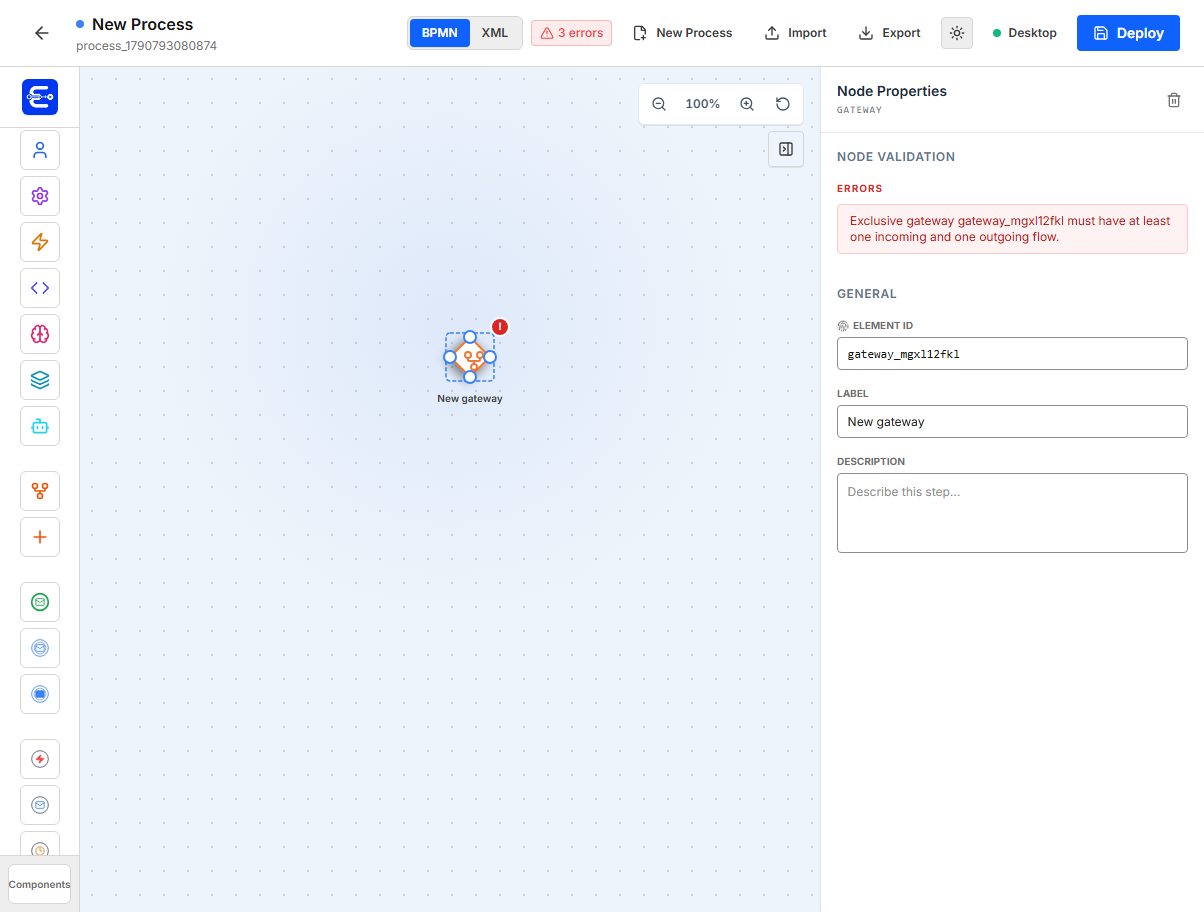
Use an exclusive gateway to route the process down one path based on conditions.
| Property | Example | Notes |
|---|---|---|
Element ID | approval_decision | Gateway ID. |
| Flow condition | ${approved} == true | Configured on outgoing sequence flows, not on the gateway node itself. |
Validation rules:
| Rule | Meaning |
|---|---|
| At least one incoming flow | The gateway must be reachable. |
| At least one outgoing flow | The gateway must route somewhere. |
| Warning for multiple outgoing flows without conditions | Add conditions when there are multiple routes. |
Typical routing:
Flow to finance_review: ${approved} == true
Flow to rejection_notice: ${approved} == false
Parallel Gateway
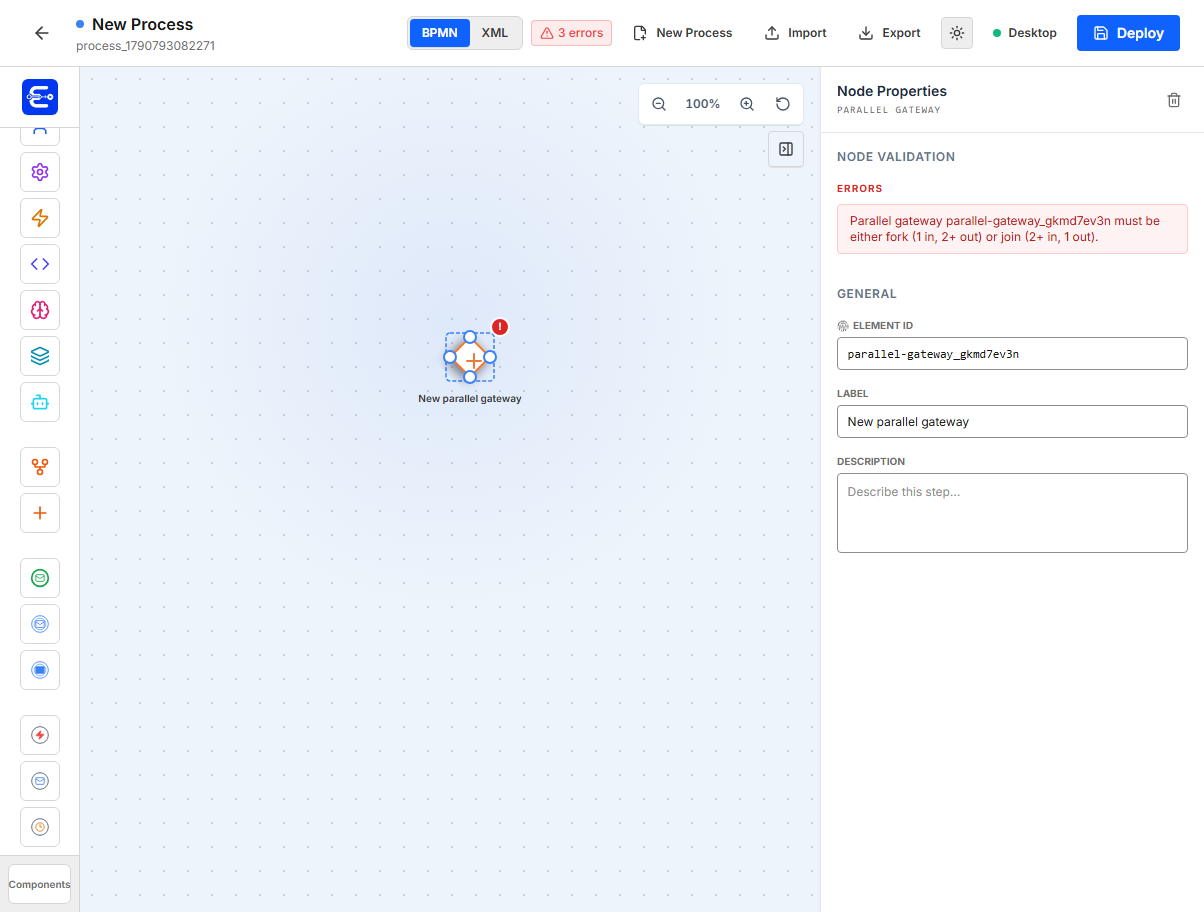
Use a parallel gateway to fork into multiple branches or join multiple branches.
| Pattern | Shape |
|---|---|
| Fork | 1 incoming flow, 2 or more outgoing flows. |
| Join | 2 or more incoming flows, 1 outgoing flow. |
Do not use branch conditions on parallel gateway outgoing flows unless you have a very specific runtime reason. The modeler warns when parallel outgoing flows have conditions.
Message event components
Message events connect process execution to internal or external publishers. See Message Events for correlation, idempotency, and API examples.
Message Start
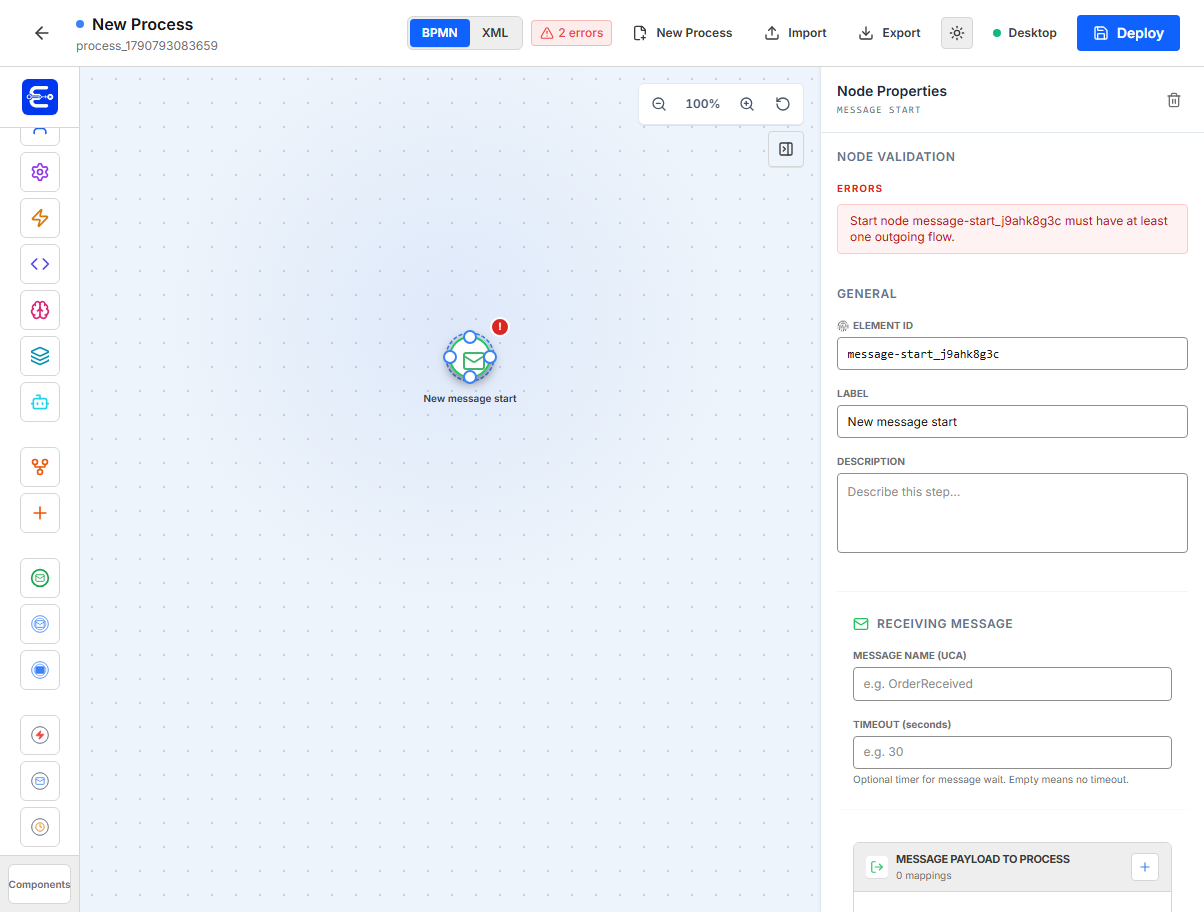
Use a message start when a message should start or activate a message-based process entry.
| Property | Example | Notes |
|---|---|---|
Message Name | OrderReceived | Message name expected by the process. |
Timeout (seconds) | 60 | Optional. Empty means no timeout. |
Message Payload to Process | orderId -> orderId | Writes received payload into process variables. |
Example:
{
  "id": "message_start",
  "type": "MessageStartEvent",
  "message": {
    "name": "OrderReceived",
    "correlationKeys": [],
    "timeoutSeconds": 60,
    "payload": [
      {
        "source": "variable",
        "sourceValue": "orderId",
        "type": "string",
        "targetVariable": "orderId"
      }
    ]
  }
}
Message Intermediate Catch
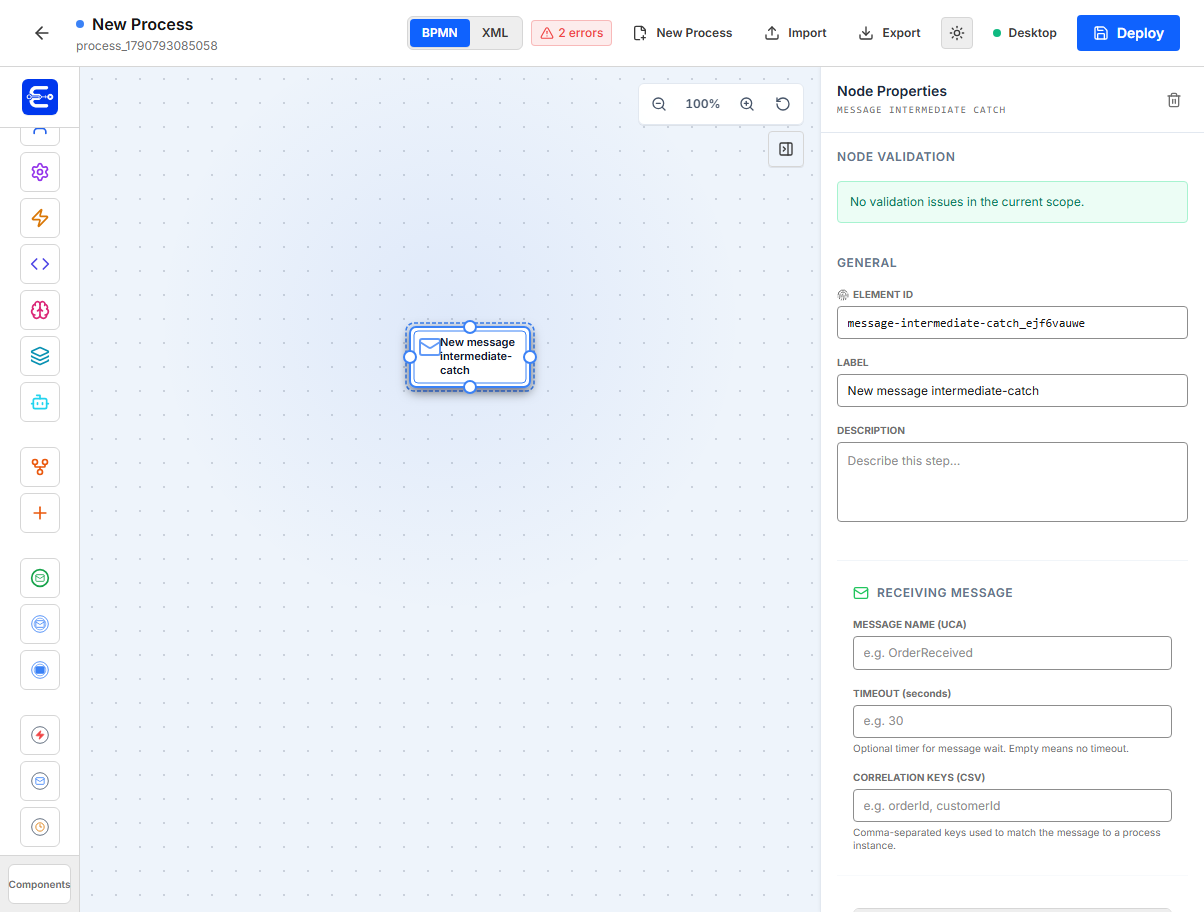
Use a catch event when a running process must wait for a message.
| Property | Example | Notes |
|---|---|---|
Message Name | PaymentReceived | Message to wait for. |
Timeout (seconds) | 300 | Optional timeout. |
Correlation Keys (CSV) | orderId, customerId | Keys used to match the message to the instance. |
Message Payload to Process | paymentStatus -> paymentStatus | Writes payload fields to variables. |
Example:
{
  "id": "wait_payment",
  "type": "MessageIntermediateCatchEvent",
  "message": {
    "name": "PaymentReceived",
    "correlationKeys": ["orderId"],
    "timeoutSeconds": 300,
    "payload": [
      {
        "source": "variable",
        "sourceValue": "status",
        "type": "string",
        "targetVariable": "paymentStatus"
      }
    ]
  }
}
Message Intermediate Throw
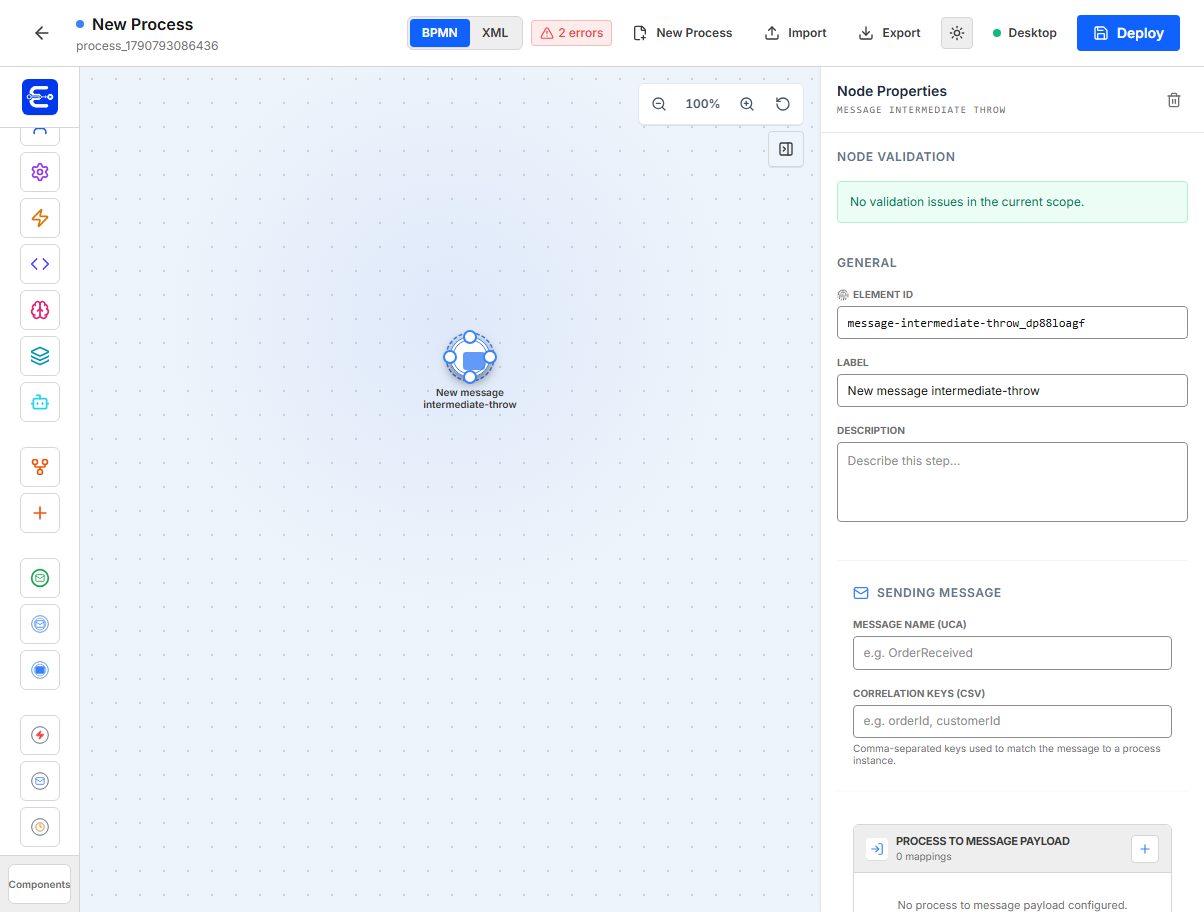
Use a throw event when the process should publish/send a message.
| Property | Example | Notes |
|---|---|---|
Message Name | ApprovalCompleted | Message emitted by the process. |
Correlation Keys (CSV) | orderId | Keys sent with the message. |
Process to Message Payload | approved -> approved | Process variables copied into the message payload. |
Example:
{
  "id": "send_approval_result",
  "type": "MessageIntermediateThrowEvent",
  "message": {
    "name": "ApprovalCompleted",
    "correlationKeys": ["orderId"],
    "payload": [
      {
        "targetName": "approved",
        "type": "boolean",
        "source": "variable",
        "value": "approved"
      }
    ]
  }
}
Boundary event components
Boundary events attach to active work and provide alternate paths for errors, messages, or timeouts.
Error Boundary
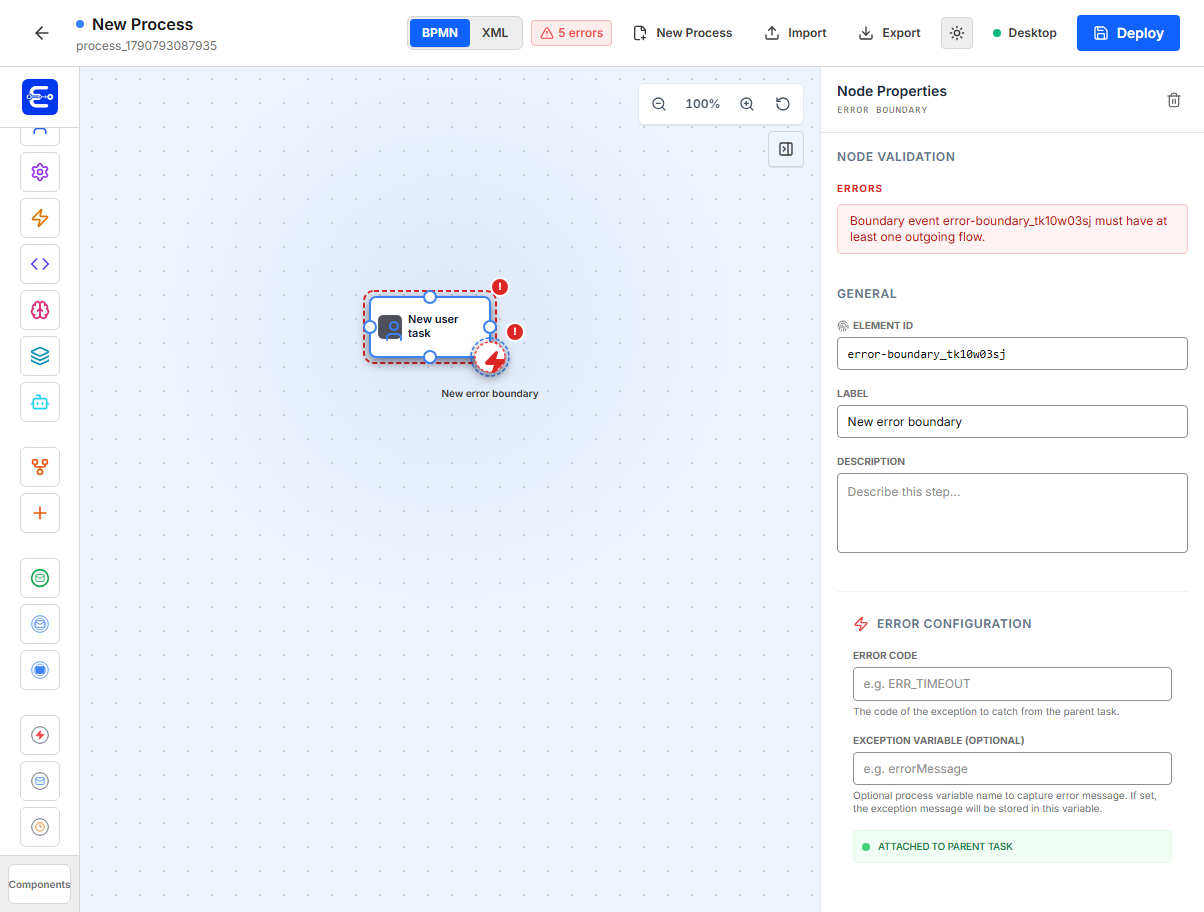
Attach an error boundary to a task when failures should follow a recovery path instead of failing the whole instance.
| Property | Example | Notes |
|---|---|---|
Error Code | ERR_TIMEOUT | Optional classification for the error path. |
Exception Variable | apiErrorMessage | Optional process variable that receives the exception message. |
Attached to parent task | shown in green | The boundary must be attached to a valid task. |
Validation rules:
| Rule | Meaning |
|---|---|
| Must be attached to a task | Drag it onto a task node. |
| No incoming flow | It is triggered by the attached task failure. |
| At least one outgoing flow | It must route to a recovery node. |
Example recovery path:
{
  "id": "api_error_boundary",
  "type": "ErrorBoundaryEvent",
  "attachedTo": "risk_check",
  "config": {
    "errorCode": "ERR_API",
    "exceptionVariable": "riskCheckError"
  },
  "next": ["manual_recovery"]
}
When an API task fails and this boundary is attached, the instance follows the boundary path and is not marked FAILED. Without a boundary, the instance is marked FAILED, including worker timeouts after 2 minutes, and BPM Admin displays the error.
Message Boundary
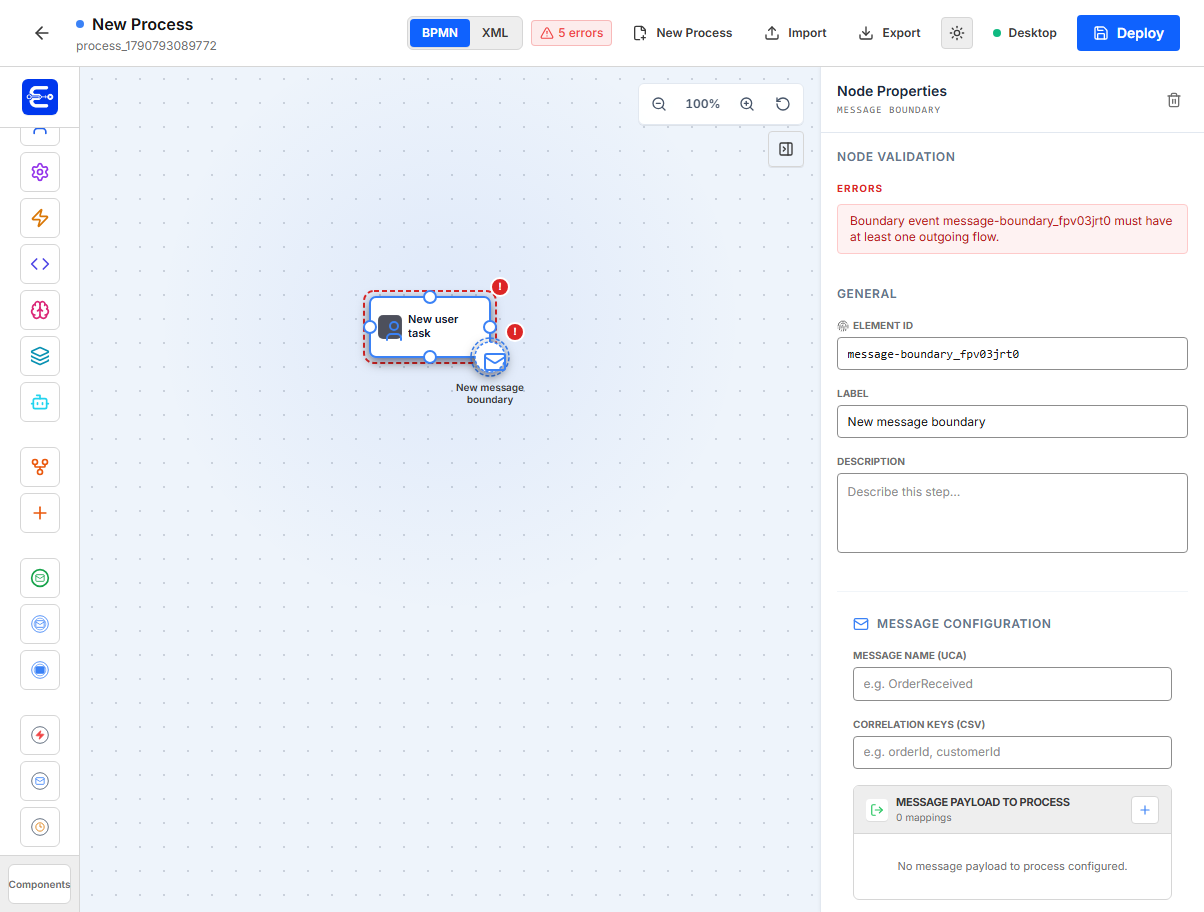
Attach a message boundary when an active task can be interrupted or recovered by an incoming message.
| Property | Example | Notes |
|---|---|---|
Message Name | CancelRequested | Incoming message to catch. |
Correlation Keys (CSV) | orderId | Used to match the correct process instance. |
Message Payload to Process | reason -> cancelReason | Writes payload into process variables. |
Attached to parent task | shown in green | Must be attached to a valid task. |
Example:
{
  "id": "cancel_boundary",
  "type": "MessageBoundaryEvent",
  "attachedTo": "manager_review",
  "message": {
    "name": "CancelRequested",
    "correlationKeys": ["orderId"],
    "payload": [
      {
        "source": "variable",
        "sourceValue": "reason",
        "type": "string",
        "targetVariable": "cancelReason"
      }
    ]
  },
  "next": ["cancelled_end"]
}
Timer Boundary
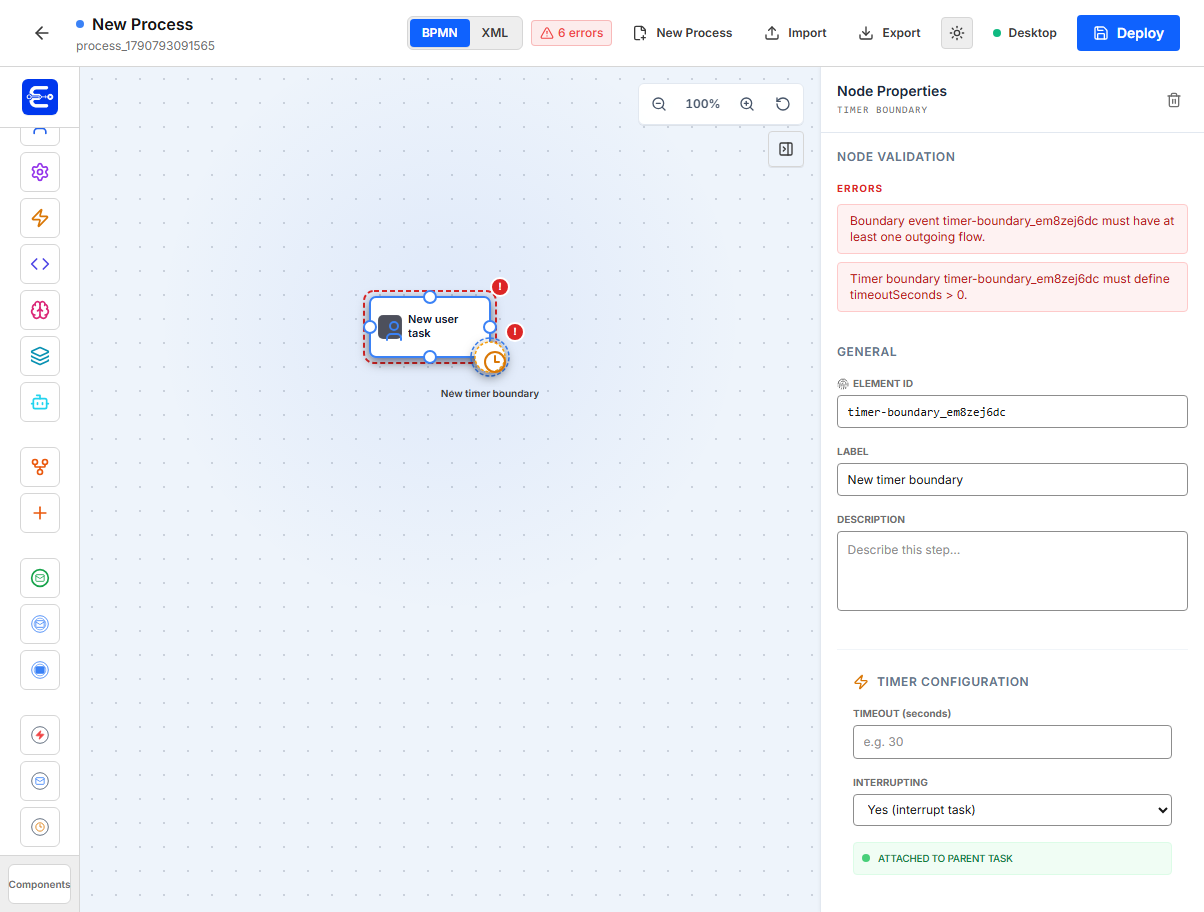
Attach a timer boundary to a task when the task has a timeout path.
| Property | Example | Notes |
|---|---|---|
Timeout (seconds) | 3600 | Required and must be greater than 0. |
Interrupting | Yes | Interrupts the parent task when timeout fires. |
Attached to parent task | shown in green | Must be attached to a valid task. |
Example:
{
  "id": "manager_sla_timeout",
  "type": "TimerEvent",
  "attachedTo": "manager_review",
  "properties": {
    "timeoutSeconds": 3600,
    "interrupting": true
  },
  "next": ["escalate_request"]
}
Form modeler
For the complete field-by-field interface reference, see Form Modeler. For deployment and API retrieval, see the Forms build guide.
The form modeler creates JSON-schema based forms that can be attached to human tasks by form key.
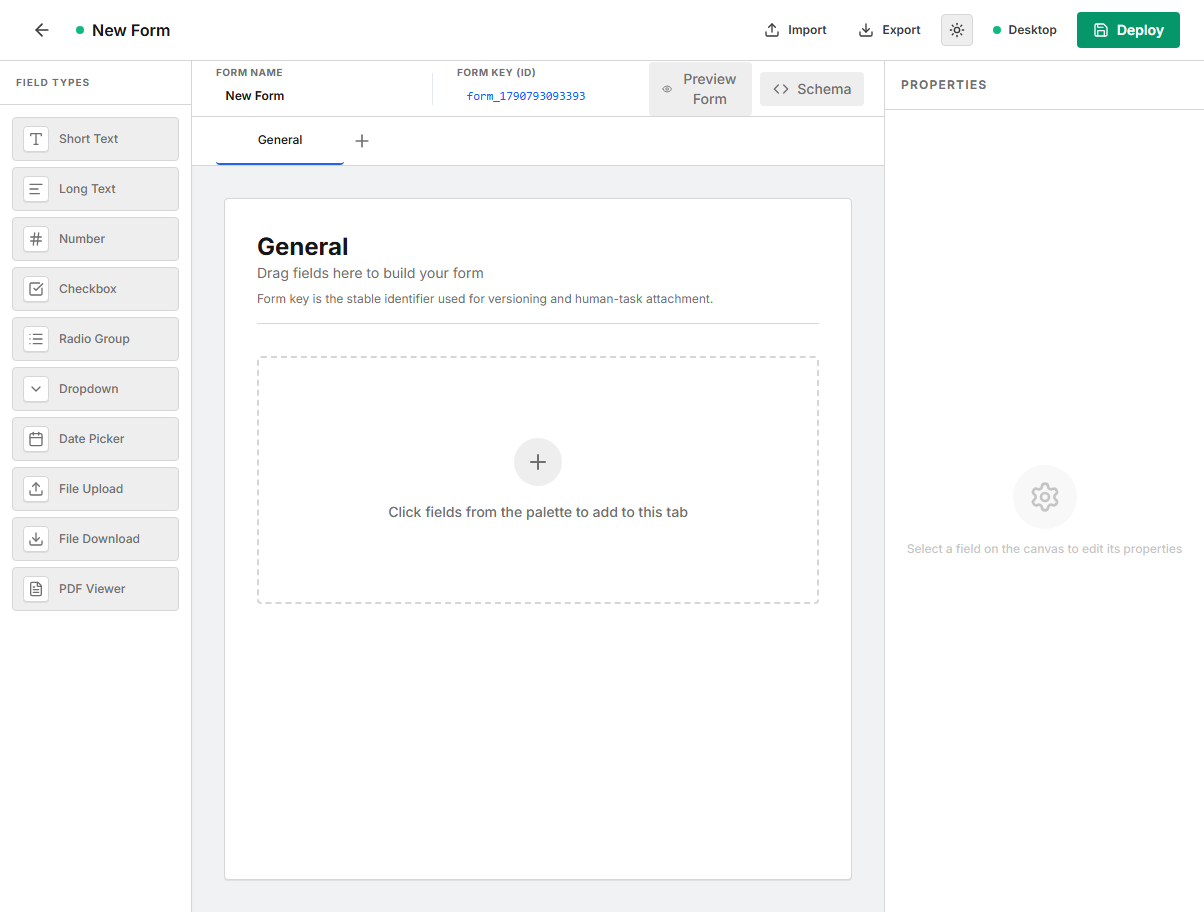
Field types:
| Field type | Use |
|---|---|
Short Text | Single-line string input. |
Long Text | Multi-line text input. |
Number | Numeric input. |
Checkbox | Boolean value. |
Radio Group | One option from a visible option list. |
Dropdown | One option from a dropdown. |
Date Picker | Date value. |
File Upload | Upload document to the process/document store. |
File Download | Render a download action for an existing document. |
PDF Viewer | Display a PDF preview area. |
Field properties:
| Property | Example | Notes |
|---|---|---|
Label | Manager approval | Display label. |
Variable Name (ID) | approved | Key used in task form data and mappings. |
Field Type | boolean | Determines JSON schema type and UI control. |
Read Only | enabled | Prevents editing. Read-only fields cannot be required. |
Required Field | enabled | Task Portal validates before completion. |
Options | Approve, Reject | Only for radio and dropdown fields. |
Allowed Extensions | pdf, docx, png | Only for file upload fields. |
Max File Size (MB) | 20 | Only for file upload fields. |
Backend form shape:
{
  "formId": "qa_manager_review",
  "name": "Manager Review",
  "schema": {
    "title": "Manager Review",
    "type": "object",
    "required": ["approved"],
    "properties": {
      "approved": {
        "title": "Approved",
        "type": "boolean",
        "readOnly": false
      },
      "comment": {
        "title": "Comment",
        "type": "string",
        "readOnly": false
      }
    }
  }
}
Attach the form to a human task with the same form key:
Human Task -> Form Key: qa_manager_review
Validation checklist
Before exporting or deploying, resolve these common issues:
| Issue | Fix |
|---|---|
| Process has no start event | Add Start Event or Message Start. |
| Process has no end event | Add End Event. |
| Start has no outgoing flow | Connect it to the first step. |
| End has outgoing flow | Remove outgoing flows from end nodes. |
| Task has no incoming/outgoing flow | Connect it into the path. |
| Timer has no timeout | Set Timeout (seconds) to a positive number. |
| Exclusive gateway has multiple routes with no conditions | Add flow conditions such as ${approved} == true. |
| Parallel gateway shape is invalid | Use fork shape or join shape. |
| Boundary is not attached | Drag the boundary event onto a task. |
| Human task form key is invalid | Use a key that starts with a letter and contains letters, numbers, hyphens, or underscores. |
Runtime notes
| Component | Runtime behavior |
|---|---|
| Human Task | Creates a pending task in the Task Portal. Completion maps task outputs back to process variables. |
| API Task | Publishes a worker request. Completion maps response JSON paths to process variables. Failure follows an error boundary when present, otherwise the instance becomes FAILED. |
| Service Task | Applies configured variable mappings and continues automatically. |
| Code Task | Uses backend/admin code task configuration and modeler variable mappings. |
| Agent Process | Calls a deployed Agent Process, records the execution, and maps the agent decision/output back to process variables. |
| Call Activity | Starts a child process and maps variables between parent and child. |
| Message Catch/Boundary | Waits for a correlated message. Timeout can route to boundary behavior or fail when unhandled. |
| Timer Event/Boundary | Uses scheduled timeout processing. |
| Gateway | Chooses outgoing paths based on conditions or parallel fork/join semantics. |
Environment
Set the backend URL for the modeler with:
EASY_BPM_MODELER_API_BASE_URL=http://localhost:8080
Enable the Agent Process resource and Agent Process BPM node with:
EASY_BPM_MODELER_AGENTIC_ORCHESTRATION=true
For deployed environments, point EASY_BPM_MODELER_API_BASE_URL at the customer backend URL.