Agent Modeler
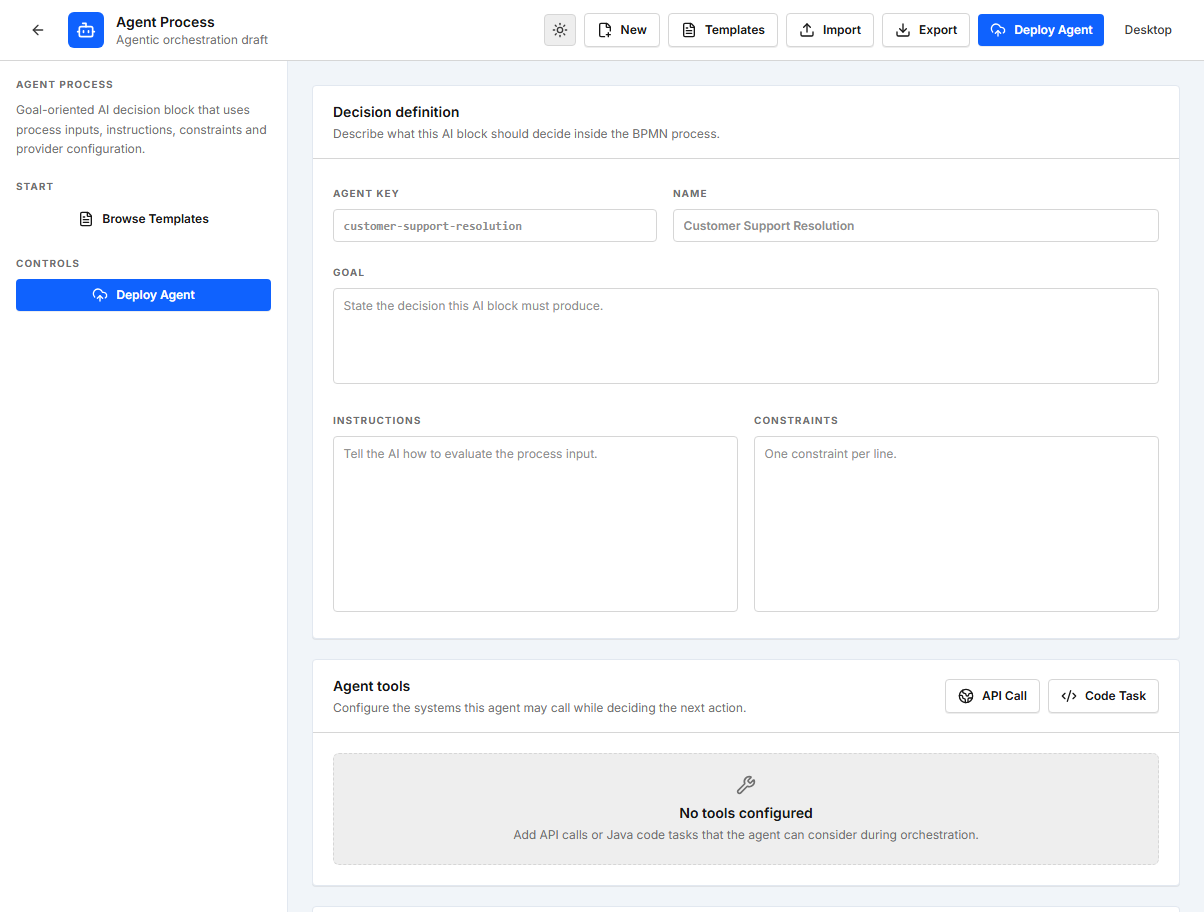
The Agent Modeler creates reusable AI-driven agent definitions. Each agent combines a stable process key, a goal, operational instructions, business constraints, and an AI provider configuration. A BPM process can invoke a deployed agent through the Agent Process component.
Enable Agent Process
Agent orchestration is controlled by a feature flag. Enable it before starting or building the modeler:
$env:EASY_BPM_MODELER_AGENTIC_ORCHESTRATION="true"
npm run dev
When enabled, Agents becomes available as a modeler resource and Agent Process appears in the process component palette.
Recommended workflow
- Open Agents in the modeler.
- Start with an empty definition or select a starter template.
- Set a stable process key and a descriptive name.
- Define the agent goal, instructions, and constraints.
- Select the provider and model, then reference a backend credential.
- Export the definition when a reviewable local copy is required.
- Deploy the agent definition.
- Add an Agent Process component to a BPM process and reference the deployed process key.
Agent configuration
| Property | Purpose |
|---|---|
Process Key | Stable identifier referenced by BPM processes. |
Process Name | Human-readable name for the agent definition. |
Goal | Main outcome the agent must achieve. It is required for deployment. |
Instructions | Operational guidance included in the agent context. |
Constraints | Business rules and guardrails that limit the agent's decisions. |
Provider | AI provider identifier, such as gemini, azure-openai, or ollama. |
Model | Provider model name or Azure deployment name. |
Endpoint | Optional custom provider endpoint; required for Azure OpenAI. |
Credential Ref | Backend credential identifier or environment variable reference beginning with $. |
Credentials are resolved by the backend and must not be stored in the frontend definition. For local Ollama testing, the default endpoint is http://localhost:11434/api/generate and the default model is llama3.2 when they are not overridden.
Templates
The editor provides starter definitions for Customer Support Resolution, Invoice Exception Review, and Employee Onboarding Coordinator. Templates are editable starting points; review every setting and configure the provider credentials before deployment.
Use an agent in a process
After deploying the agent, add the Agent Process component to the process canvas and set Agent Process Key to the deployed key.
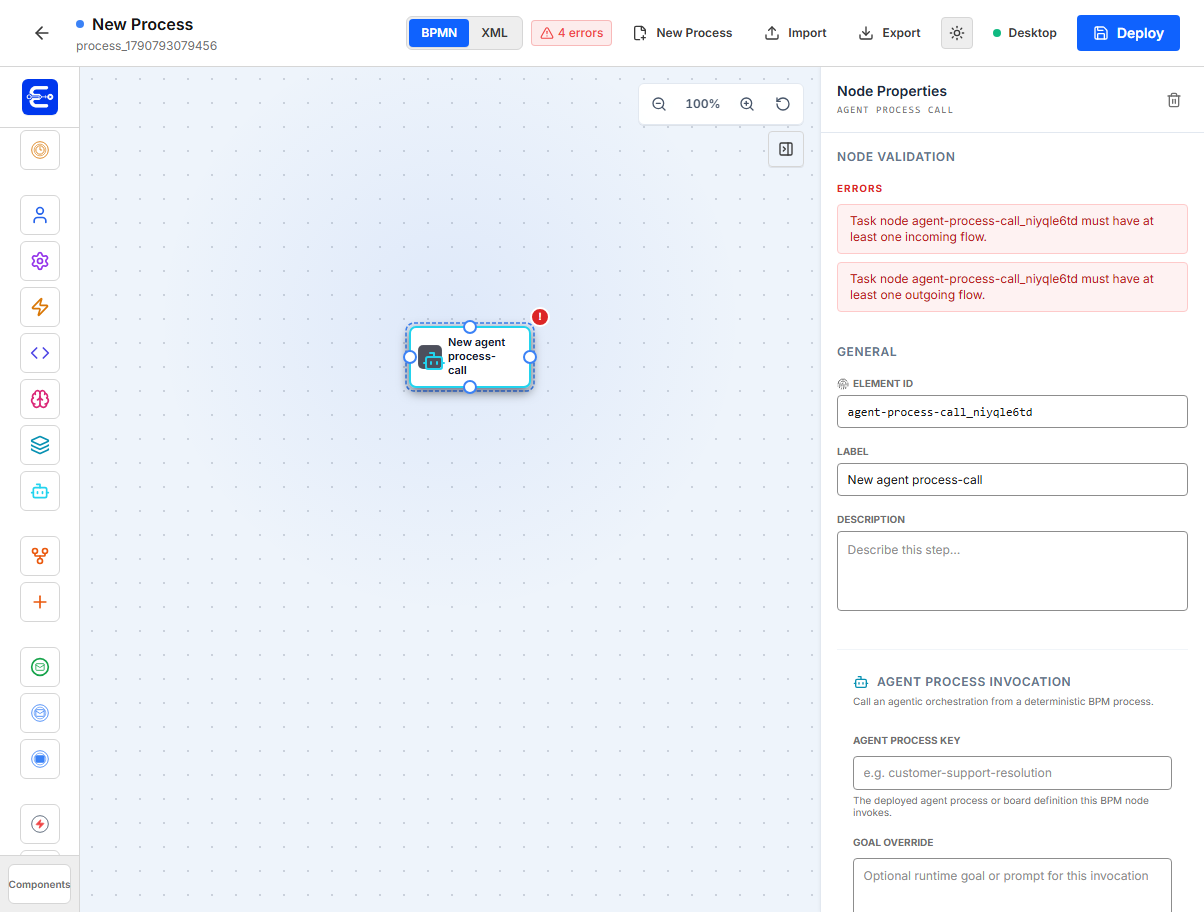
The component supports a runtime goal override, wait-for-completion behavior, timeout metadata, input mappings, and output mappings. See Agent Process in the component reference for every component property and a complete invocation example.
Deploy the agent definition before deploying and running the BPM process that references it.